Kristian Gorenc Z
Feb 11, 2026

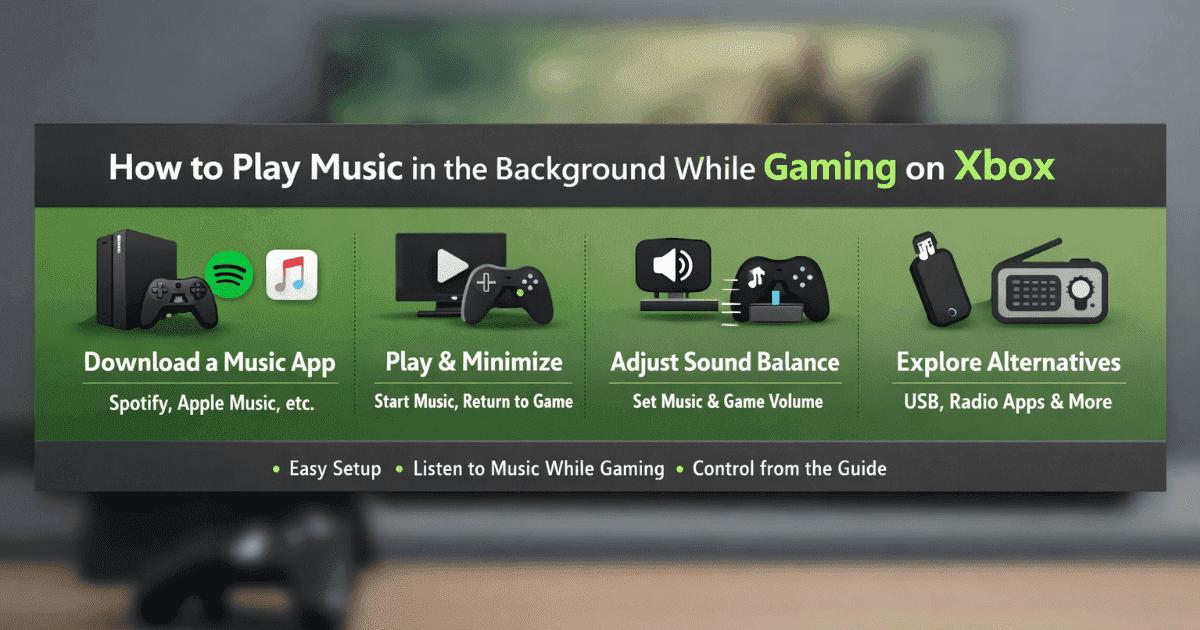

When playing certain games, we may want complete silence. Or we may enjoy hearing the sound effects. But in some cases, having a song we like playing in the background can double our gaming quality.
Gamers will understand exactly what I mean.
But for those who aren't very familiar with video games, let me summarize it like this: You take your basketball and go to the court, and you turn on your music with your portable speakers.
Now your shots are accompanied by notes...
I hope this example from real life has been helpful.
The great thing is: Xbox officially supports this with music apps; you start the music in the app and return to the game, controlling it all from the Guide.
Sometimes subscriptions can pile up in this entertainment package; at that point, some people look into options like selling Xbox gift cards to balance their budget—but when it comes to music, the essence remains the same: the right app + the right sound settings.
There's no need to reinvent the wheel. The explanation in Xbox's official documentation is quite clear.
All you need to do is download a music player app. The key point is that the app you download must support background music.
You can then use the guide opened with the Xbox button to return to the game.
I don't need to explain the console buttons to you in detail because you're already doing wonders in games. I'm sure you know your way around.
The critical point here is that the app supports playing in the background.
The first heading clarified some things but raised new questions. I am aware of that. This heading was created precisely to answer that question.
So, which app do you recommend?
The app I've personally tried is Spotify, and it works consistently.
The advantage is that the Spotify development team states on their source page that they have made special improvements for Xbox users.
The suggestions are exactly the same. You can play music on Spotify and return to the game.
Turning off the game music will also double your personal music listening experience.
I know that sometimes your favorite music app is like your favorite barber. No one wants to change it easily. Your playlists and listening habits are in the app you use most often.
Using a different app on each device can be a bit distracting.
If Apple Music is your favorite, we have good news for you. Apple now supports playing music in the background.
Not only Spotify/Apple Music; some radio/music apps also offer background support (may vary by region).
Xbox Wire mentions solutions such as Spotify and Pandora, as well as the “Simple Background Music Player” that plays from USB.
Additionally, some guides explain that you can download a music/podcast app from the Microsoft Store and return to the game using the same logic; control is again via the Guide.
There are millions of answers to this question, and that can sometimes be overwhelming.
I sometimes look at the Music Charts for 30 seconds before jumping into a game.
It helps when I'm stuck wondering, “What should I play?” because there are quick lists like the most-streamed songs on Spotify or the most-watched artists on YouTube over the past 7 days; I pick one and dive straight into the game.
 Next article
 Previous article
11M+ artists, 100M+ songs, 19M+ playlists, 6K+ festivals and 100K+ labels on one platform, built for industry professionals.