Vasja Veber
Apr 7, 2026

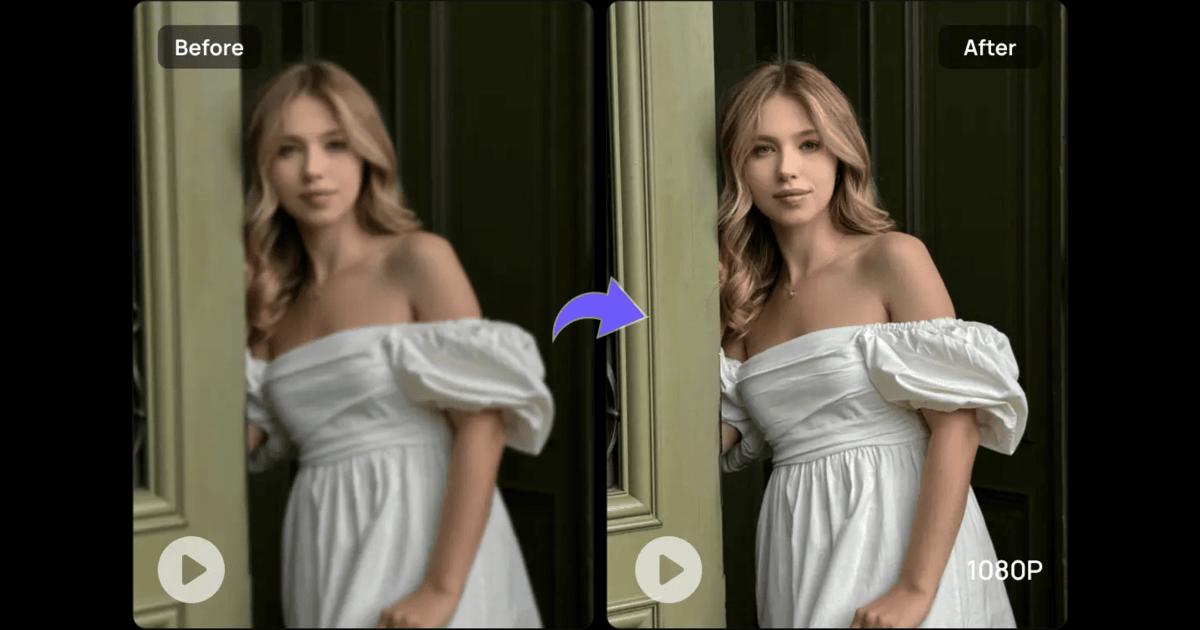

Marketing and social media are rapidly adopting AI videos. Brands are using them for ads, tutorials, and product presentations. However, very few AI videos manage to convert viewers to buyers.
For grabbing the audience's focus and getting their attention and interaction, your videos should be visually clear, tell an interesting story, and be designed with the audience in mind. This guide will give you an overview of the top AI video upscalers that can turn your low-quality videos into high-definition 4K videos. Furthermore, you will find simple video production tips and tricks for making videos that look excellent and give you the best results online.
A high-converting video is one that really works to influence people to act. Their action could be a purchase, click, registration, or even just viewing the video longer.
For that, the video should contain some key elements.
It must be understandable so that the audience gets the point immediately.
It also needs to open with a bang, which will captivate the audience within the first seconds.
Graphics need to be neat for the video to look like it was made by professionals.
Video should always have a short and clear call-to-action (CTA).
Figure out what is going to be the main use of the video. To give you an idea, is it for brand awareness, sales increase, or customer base expansion? Your key goal is going to guide your style, tone, and look decisions.
Figure out your target audience. Discover the platform that they mostly use, TikTok, YouTube, or Instagram, because each platform has its own style and habits of viewers.
Hook your viewers in the very first 3 to 5 seconds because these are the most important ones for grabbing their attention. A very simple and chronological way to organize the content of a video is: problem > solution > CTA.
Identify the purpose of your video. Will it be used as a tool for brand awareness, sale conversion, or user engagement? The objective will determine the style, tone, and visuals of your video.
Stop people from scrolling at once in the first 3-5 seconds. Keep a very simple, easy-to-understand line of thought.
Besides making viewers lose trust and stop watching, low-quality videos bring other negative effects on a brand's equity. Sharp, clear visuals not only keep attention but also boost engagement. Focus on these key quality factors:
Resolution: HD, 4K, or higher
Lighting and clarity: Bright, clear visuals improve viewer trust
Smooth transitions: Seamless flow keeps viewers engaged
AI video enhancers can be a great help in enhancing blurry or low-res videos in no time. Among the best picks is Vmake video enhancer. Vmake can upgrade low-resolution videos to stunning 2K, 4K, or even AI 4K+ quality in one click. You may use this software to upgrade AI-generated content, portraits, gameplay, animation, or heavily compressed videos.
All you have to do is upload your video, allow the AI to improve it automatically, and get the refined version, no technical knowledge is necessary.
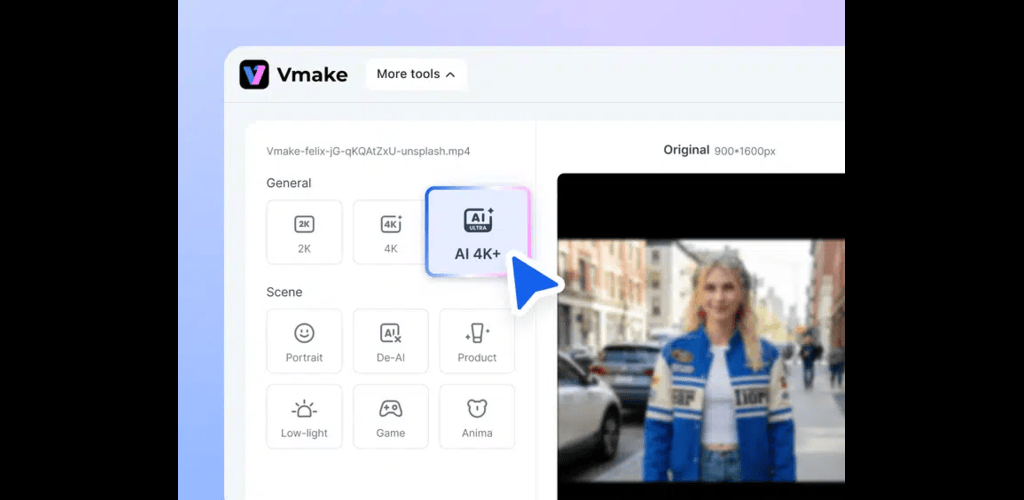
Key features of Vmake:
One-click AI enhancement: Sharper details, smoother motion, higher resolution
Specialized modes: Portrait, Product, Low-Light, Gaming, Anime
Generative AI 4K+: Rebuilds fine details without over-smoothing
Platform-ready: Works for social media, eCommerce, and streaming clips
Safe and easy: Browser-based, no downloads or ads, privacy protected
Supports all formats: MP4, MOV, M4V, 3GP, AVI
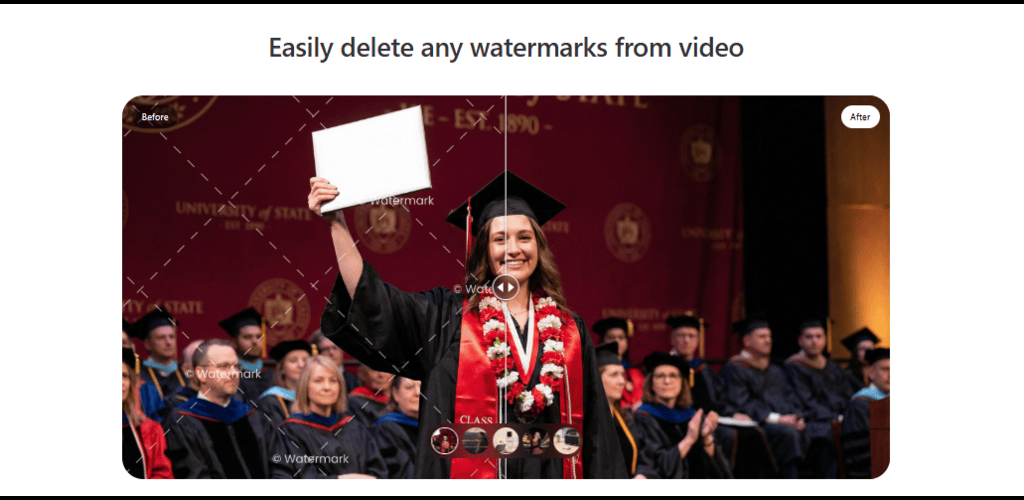
Watermarks, noise, and visuals full of clutter give videos an unprofessional appearance. Such distractions may decrease engagement, trust, and conversions. Neat visuals, by contrast, make your message prominent and hold the attention of the viewers.
One of the easiest tricks to get rid of unwanted marks is by using a video watermark remover. Vmake's video watermark remover tool identifies and removes both stationary and moving watermarks automatically. Simply upload your video, give the AI time to do its work, and then download a watermark-free HD version, without any manual work at all.
Key features of Vmake video watermark remover:
One-click removal: Clean watermarks, logos, and overlays instantly
Handles moving watermarks: Tracks drift and animation for smooth results
Natural reconstruction: Keeps faces, products, and key visuals intact
Works on complex scenes: Hair, reflections, fast motion, and busy backgrounds
Batch processing: Clean multiple videos at once
Simply making high-quality videos is not enough. To hold the attention of your audience, your AI videos must be engaging throughout.
Show striking visuals or pose a question within the first few seconds
Maintain quick pace with energetic cuts to keep attention
Increase accessibility so that everyone can understand the video
Underline main points for a stronger memory
Make the video more captivating by adding emotions
Keep the mood of music and voice tone the same as message
Different platforms have different rules for success.
Use vertical format (9:16)
Keep content short, fast-paced, and attention-grabbing
Make longer, value-driven videos
Focus on strong thumbnails and catchy titles
Optimize for conversions, not just views
Test different versions with A/B experiments to find what works best
If you want to get the most out of AI videos, you must monitor, test, and enhance them regularly.
Key metrics
Average watch time: Find out the typical duration of video sessions.
Click-through rate (CTR): Count of link or button clicks from a user interaction.
Conversion rate: Fraction of users who took the action you wanted
A/B testing
Try out various hooks to decide which one gets attention most effectively essentially
Experiment with changing the CTAs to find out which one is the strongest
Differentiate between multiple questions with the same CTAs in order to identify the most engaging one
Compare different visual styles to see which ones your audience responds to
Excellent AI video quality enhances user engagement and builds trust. Once you decide on your message and get the necessary equipment, find ways to change visuals and adjust the ambiance. Don't forget to tailor the videos to specific social media platforms. Make sure to conduct tests, interpret the results, and make improvements accordingly to keep up your videos at a higher level of effectiveness and professionalism. One such tool that can help you in this journey is Vmake as it simplifies the conversion of poor-quality videos into well-edited, high-converting ones.
📌 Viberate Analytics gives you the data behind the music industry. Built for A&R teams, managers, labels, and artists, it helps you find new talent, analyze audience insights, track Spotify playlists and stats, evaluate tracks and songs, and monitor Spotify, YouTube, streaming, and radio airplay analytics — all connected in one system.
 Next article
 Previous article
11M+ artists, 100M+ songs, 19M+ playlists, 6K+ festivals and 100K+ labels on one platform, built for industry professionals.