Miha Prebil
May 1, 2026

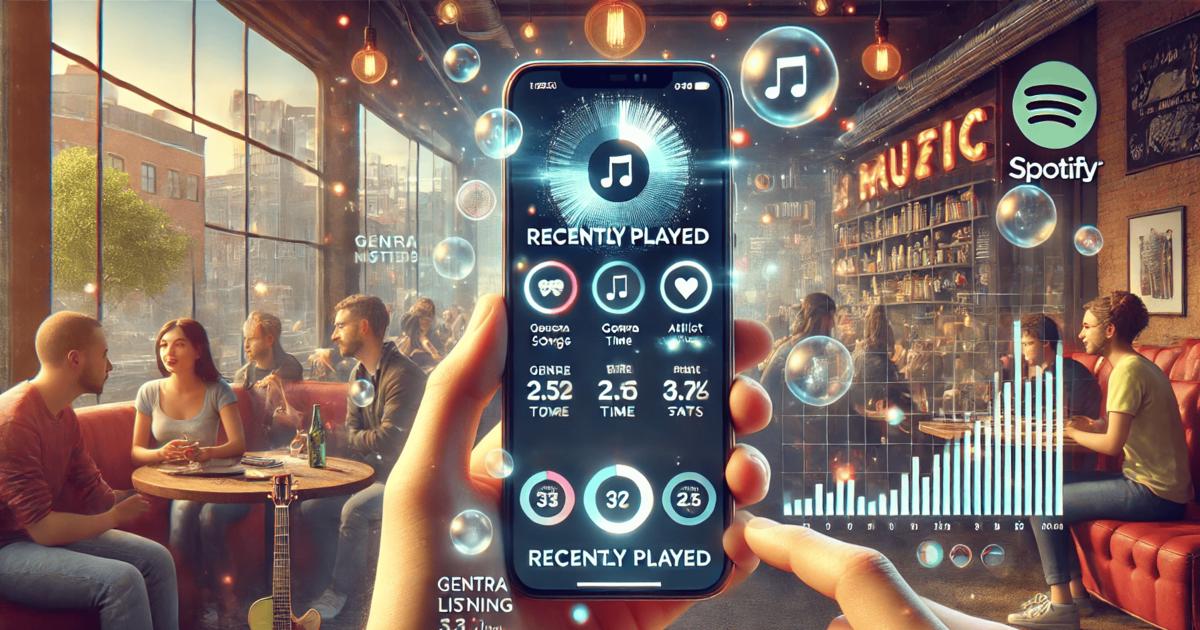

Spotify analytics have become essential for artists, managers, and labels who want to understand how music is consumed in real time. Streaming is no longer just about total play counts. It is about patterns, habits, and momentum. Knowing what listeners play, when they play it, and how their behavior changes over time helps professionals shape release strategies, plan promotion, and evaluate whether a track is truly gaining traction. One of the most basic entry points into this data is your listening history, which shows what has been played recently and in what order. While this feature is simple, it connects directly to wider questions about audience behavior and performance.
Spotify lets users review their listening history on both desktop and mobile, but the path is slightly different depending on the device. On desktop, the feature is only available inside the app, not in the web player. To access it, you need to open the Spotify desktop application and look to the bottom-right corner of the screen. There you will find the Queue icon, represented by three horizontal lines. Clicking this icon opens a panel that includes a tab labeled "Recently played." Selecting this tab displays your recent listening activity, with the newest tracks appearing at the bottom of the list. The desktop view shows up to the last 50 tracks and allows you to replay them directly from this panel.
On mobile, Spotify presents listening history in a more personal and chronological format. After opening the app on your phone, you tap your profile icon in the top corner of the screen. From the menu, you select either "Listening history" or "Recents," depending on your app version. This view lists songs, podcasts, and audiobooks you have played, organized by date. If an entry represents a playlist or album, you can tap the small dropdown arrow to expand it and see individual tracks. There is also a shortcut method when a song is already playing. If the app has not been closed, you can tap the back arrow from the player view to return to recently played content. These options make it easy for users to revisit tracks they heard earlier in the day or the week.
For music professionals, this basic history is useful as a personal listening log, but it has limits. It does not explain why a song was played, how often it is repeated by others, or how it performs across markets. That is where advanced Spotify analytics tools become necessary.
At a surface level, recently played lists are designed for convenience. They help users return to tracks they enjoyed or resume a podcast episode. For artists and marketers, however, they hint at something larger: behavior. When fans replay a song multiple times, add it to playlists, or listen in short bursts, those patterns eventually feed into streaming algorithms and charts. Understanding these dynamics requires more than just seeing your own history. It requires comparing performance across many listeners and many tracks.
Professionals need answers to questions such as whether monthly listeners are growing steadily, whether a track spikes after playlist placement, and which cities generate the most engagement. Spotify’s native tools provide some of this information, but they are designed mainly for individual artists. When your job involves scouting talent, managing multiple acts, or planning tours, you need a broader view of the platform.
To get the most out of Spotify data, Viberate provides a professional-level solution built around large-scale analysis. It works in a similar way to Spotify for Artists but extends the scope to every musician releasing music on Spotify. With coverage of more than 11 million artists, the platform allows users to analyze monthly listeners, followers, playlist placements, and streaming performance in one place.
For example, the Spotify monthly listeners tracker shows how an artist’s audience evolves over time and how that growth compares to the industry average. This helps identify whether a campaign has lasting impact or only creates a short-term spike. Alongside this, an overview of followers reveals how quickly a fanbase is expanding, which is often a stronger signal of long-term potential than streams alone.
Viberate also ranks all Spotify songs by performance. Tracks can be filtered by release date and sorted by total streams, as well as by shorter time frames such as the last 12 months, one month, or seven days. This makes it easier to spot new releases that are gaining attention quickly. Songs in this section are playable, which means analysis can be combined directly with listening.
Playlist analytics form another key part of the platform. By examining where an artist’s tracks appear, professionals can identify which playlists generate the most reach and which curators are driving discovery. This information is crucial for release planning and for targeting future playlist pitching efforts.
Beyond raw numbers, Viberate shows where monthly listeners are located. Its audience geolocation tools map listeners across cities and countries, allowing teams to adapt promotion and plan gigs in markets where reception is strongest. Instead of guessing where demand exists, professionals can base decisions on measurable data.
Another feature focuses on collaboration and booking opportunities. By comparing fanbase overlap between artists, Viberate helps identify musicians with similar audiences. This makes it easier to plan collaborations or lineups for future events based on shared listener interest rather than just genre labels.
Charts and rankings bring all this information together. Artists and songs are ranked by Spotify and other platform statistics, with daily updates. Users can customize charts by country, genre, follower range, and performance trends. This supports talent discovery and market monitoring in a structured way.
Checking your listening history on Spotify is a simple action, but it reflects a much larger data system behind the scenes. On mobile, features like recently played spotify mobile give users a quick view of what they have consumed, while desktop tools show the last 50 tracks in sequence. These views are designed for individuals, yet the same type of data, when aggregated and analyzed, becomes a strategic asset.
For professionals, the shift is from asking what was played to understanding how and why it was played. That transition requires tools that go beyond personal history and into platform-wide analytics. Viberate bridges this gap by turning Spotify activity into structured insights about growth, reach, and audience behavior. By combining listening data with performance metrics, it supports decisions about promotion, touring, and artist development.
Learning how to access listening history is a useful first step. Building on that with professional analytics is what turns simple playback records into actionable knowledge. With the right tools, Spotify data moves from a list of recent tracks to a clear picture of where an artist stands and where they can grow.
Spotify analytics have become essential for artists, managers, and labels who want to understand how music is consumed in real time. Streaming is no longer just about total play counts. It is about patterns, habits, and momentum. Knowing what listeners play, when they play it, and how their behavior changes over time helps professionals shape release strategies, plan promotion, and evaluate whether a track is truly gaining traction. One of the most basic entry points into this data is your listening history, which shows what has been played recently and in what order. While this feature is simple, it connects directly to wider questions about audience behavior and performance.
Spotify lets users review their listening history on both desktop and mobile, but the path is slightly different depending on the device. On desktop, the feature is only available inside the app, not in the web player. To access it, you need to open the Spotify desktop application and look to the bottom-right corner of the screen. There you will find the Queue icon, represented by three horizontal lines. Clicking this icon opens a panel that includes a tab labeled "Recently played." Selecting this tab displays your recent listening activity, with the newest tracks appearing at the bottom of the list. The desktop view shows up to the last 50 tracks and allows you to replay them directly from this panel.
On mobile, Spotify presents listening history in a more personal and chronological format. After opening the app on your phone, you tap your profile icon in the top corner of the screen. From the menu, you select either "Listening history" or "Recents," depending on your app version. This view lists songs, podcasts, and audiobooks you have played, organized by date. If an entry represents a playlist or album, you can tap the small dropdown arrow to expand it and see individual tracks. There is also a shortcut method when a song is already playing. If the app has not been closed, you can tap the back arrow from the player view to return to recently played content. These options make it easy for users to revisit tracks they heard earlier in the day or the week.
For music professionals, this basic history is useful as a personal listening log, but it has limits. It does not explain why a song was played, how often it is repeated by others, or how it performs across markets. That is where advanced Spotify analytics tools become necessary.
At a surface level, recently played lists are designed for convenience. They help users return to tracks they enjoyed or resume a podcast episode. For artists and marketers, however, they hint at something larger: behavior. When fans replay a song multiple times, add it to playlists, or listen in short bursts, those patterns eventually feed into streaming algorithms and charts. Understanding these dynamics requires more than just seeing your own history. It requires comparing performance across many listeners and many tracks.
Professionals need answers to questions such as whether monthly listeners are growing steadily, whether a track spikes after playlist placement, and which cities generate the most engagement. Spotify’s native tools provide some of this information, but they are designed mainly for individual artists. When your job involves scouting talent, managing multiple acts, or planning tours, you need a broader view of the platform.
To get the most out of Spotify data, Viberate provides a professional-level solution built around large-scale analysis. It works in a similar way to Spotify for Artists but extends the scope to every musician releasing music on Spotify. With coverage of more than 11 million artists, the platform allows users to analyze monthly listeners, followers, playlist placements, and streaming performance in one place.
For example, the Spotify monthly listeners tracker shows how an artist’s audience evolves over time and how that growth compares to the industry average. This helps identify whether a campaign has lasting impact or only creates a short-term spike. Alongside this, an overview of followers reveals how quickly a fanbase is expanding, which is often a stronger signal of long-term potential than streams alone.
Viberate also ranks all Spotify songs by performance. Tracks can be filtered by release date and sorted by total streams, as well as by shorter time frames such as the last 12 months, one month, or seven days. This makes it easier to spot new releases that are gaining attention quickly. Songs in this section are playable, which means analysis can be combined directly with listening.
Playlist analytics form another key part of the platform. By examining where an artist’s tracks appear, professionals can identify which playlists generate the most reach and which curators are driving discovery. This information is crucial for release planning and for targeting future playlist pitching efforts.
Beyond raw numbers, Viberate shows where monthly listeners are located. Its audience geolocation tools map listeners across cities and countries, allowing teams to adapt promotion and plan gigs in markets where reception is strongest. Instead of guessing where demand exists, professionals can base decisions on measurable data.
Another feature focuses on collaboration and booking opportunities. By comparing fanbase overlap between artists, Viberate helps identify musicians with similar audiences. This makes it easier to plan collaborations or lineups for future events based on shared listener interest rather than just genre labels.
Charts and rankings bring all this information together. Artists and songs are ranked by Spotify and other platform statistics, with daily updates. Users can customize charts by country, genre, follower range, and performance trends. This supports talent discovery and market monitoring in a structured way.
Checking your listening history on Spotify is a simple action, but it reflects a much larger data system behind the scenes. On mobile, features like recently played spotify mobile give users a quick view of what they have consumed, while desktop tools show the last 50 tracks in sequence. These views are designed for individuals, yet the same type of data, when aggregated and analyzed, becomes a strategic asset.
For professionals, the shift is from asking what was played to understanding how and why it was played. That transition requires tools that go beyond personal history and into platform-wide analytics. Viberate bridges this gap by turning Spotify activity into structured insights about growth, reach, and audience behavior. By combining listening data with performance metrics, it supports decisions about promotion, touring, and artist development.
Learning how to access listening history is a useful first step. Building on that with professional analytics is what turns simple playback records into actionable knowledge. With the right tools, Spotify data moves from a list of recent tracks to a clear picture of where an artist stands and where they can grow.
Source of music data: Viberate.com
-
📌 Viberate - Music Intelligence is the data & AI layer behind music analytics, connecting artist discovery, audiences, playlists, tracks, Spotify, TikTok, YouTube, streaming, and radio airplay.
 Next article
 Previous article
11M+ artists, 100M+ songs, 12M+ playlists, 6K+ festivals and 100K+ labels on one platform, built for industry professionals.