Kristian Gorenc Z
Jul 3, 2026

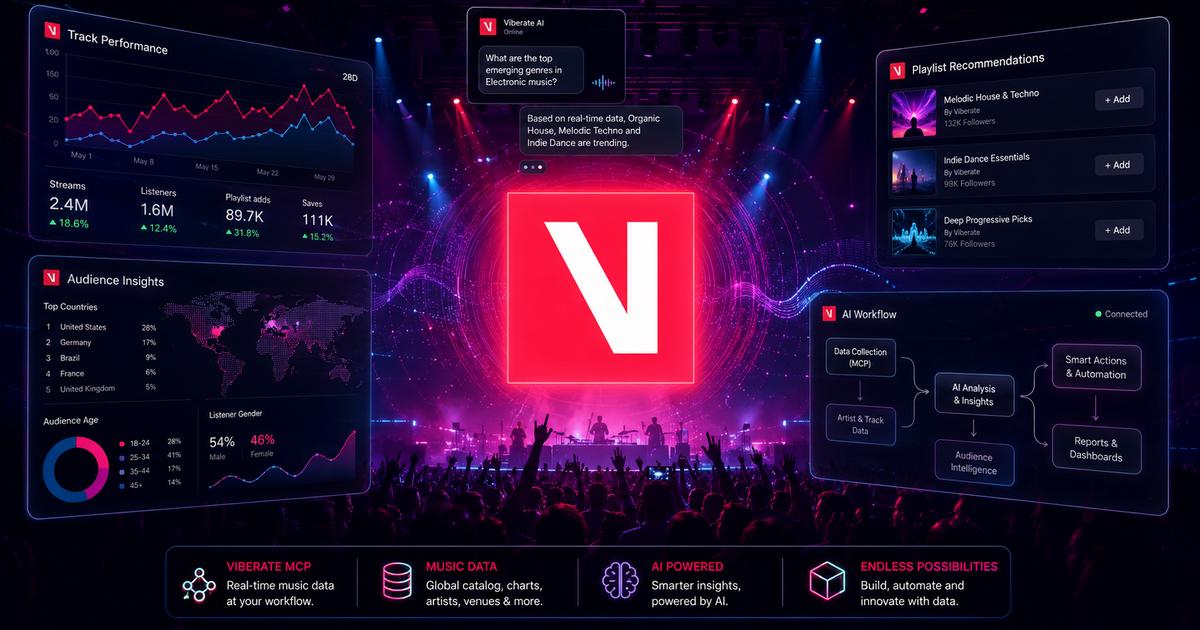

AI has quickly become useful for writing, planning, summarizing, and research. Music teams use it to prepare campaign ideas, write reports, organize artist notes, compare strategy options, and speed up internal work. But there is a clear limit: AI becomes much more useful when it can work with real data.
That is where workflows become important.
MCP stands for Model Context Protocol. It gives compatible AI assistants a structured way to connect with external tools, services, and databases. Instead of working only with the information already inside the model, an AI assistant can request relevant context from a connected source and use it in the response.
For music industry teams, this can change the role of AI. It can move from a general writing assistant to a practical research interface for artists, tracks, playlists, audiences, labels, charts, events, and music markets.
AI can produce polished answers, but polished does not always mean useful. If an assistant is not connected to current data, it may rely on broad knowledge, older information, or assumptions. That can be a problem in music, where market signals change quickly.
Artist momentum can shift through playlist additions, YouTube growth, audience movement, social activity, track performance, and live visibility. A&R teams, managers, labels, brands, and analysts often need those signals before making decisions.
A general AI assistant can help frame the question. It can explain what to look for. It can help organize a strategy. But without structured music data, it cannot reliably tell a team which artists are growing, which markets are strongest, or whether an audience fits a campaign.
This is why mcp ai workflows matter. They connect the AI assistant to the data source, so the answer can be shaped by real information instead of generic output.
An mcp ai workflow starts with a simple idea: the user asks a question in natural language, and the AI assistant uses a connected MCP server to request the data needed for the answer.
In Viberate’s case, the MCP server connects compatible AI services such as Claude, ChatGPT, Gemini, Grok, and other AI tools with Viberate music data. Users can ask questions inside the AI assistant and receive structured answers based on the available Viberate data.
That changes the user experience. Instead of opening several dashboards, applying filters, exporting numbers, and writing a summary, the user can begin with the business question.
For example, an A&R user could ask for rising artists in selected countries with strong Spotify growth and increasing playlist reach. A manager could ask for a comparison between one artist and several similar acts. A brand team could ask whether an artist’s audience fits a specific campaign market.
These are natural questions. They are also data questions. MCP helps connect the two.
Viberate’s music analytics data covers a wide part of the music ecosystem. It includes artists, tracks, playlists, audiences, labels, charts, events, and markets. The Viberate MCP server makes that data available through compatible AI assistants.
This does not replace the Viberate platform or the Viberate API. It adds another access layer.

The platform remains useful when users want visual dashboards, saved views, and repeatable workflows. The API remains useful when technical teams need direct integration into internal systems. The mcp ai workflow is useful when users want to ask flexible questions and receive structured answers inside the AI tools they already use.
The free version gives users basic access, including artist search, essential artist information, headline artist metrics, and limited chart access. This allows users to test the workflow before using deeper research features.
The paid version supports more advanced music industry work. It includes richer artist analytics, historical views, audience and geographic insights, track and playlist data, label information, live event data, comparisons, and other advanced workflows.
The strength of mcp ai workflows is that different users can ask different questions without needing the same fixed interface.
An A&R team may ask for artists that match a discovery profile. The prompt might include genre, country, recent growth, playlist movement, or audience momentum. Instead of starting from a broad chart, the team can ask for a more focused shortlist.
An artist manager may ask how one artist compares with similar acts across streaming growth, playlist reach, YouTube views, and top audience cities. This can support campaign reviews, release planning, and internal updates.
A brand or sync team may ask whether an artist’s audience fits a campaign. That may involve top countries, cities, age and gender breakdowns, TikTok or Instagram signals, and recent growth.
A developer or data team may use the workflow to test questions before building a deeper API integration or internal reporting tool. If a question proves useful, it can later become a more formal workflow. If it is only needed once, the AI-connected path may be enough.
The difference between a normal AI prompt and an mcp ai workflow is the data connection.
A normal chatbot can help explain what matters in artist research. It can suggest categories to check or help format a report. But it may not have access to current artist metrics, audience breakdowns, playlist movement, or market data.
A connected workflow gives the assistant a way to request information from a structured source. The final answer still needs review, but it starts from a stronger base.
This matters because music decisions are rarely made from one number. A good research answer needs context. It may combine artist growth, streaming movement, playlist reach, audience location, social signals, and comparison data. MCP helps the assistant access the information needed to build that type of answer.
The future of AI in the music industry should not only be about generating text. It should be about helping teams work with the data behind real decisions.
MCP AI makes that direction practical. It gives AI assistants a way to connect with structured music data and answer more specific questions.
For Viberate users, this means music analytics can be accessed in three main ways: through the platform, through the API, and through compatible AI assistants using the MCP server.
Each option has a different role. The platform supports visual analysis. The API supports technical integration. The AI-connected workflow supports fast, flexible research.
For music professionals, that can reduce manual work and help teams move faster from question to starting insight. The user still brings judgment, context, and strategy. But the assistant can help organize data-backed answers more efficiently.
That is the practical value of mcp ai for music data. It helps AI become less generic and more useful for the work music teams actually need to do.
Source of music data: Viberate.com
-
📌 Viberate - Music Intelligence is the data & AI layer behind music analytics, connecting artist discovery, audiences, playlists, tracks, Spotify, TikTok, YouTube, streaming, and radio airplay.
 Next article
 Previous article
11M+ artists, 100M+ songs, 12M+ playlists, 6K+ festivals and 100K+ labels on one platform, built for industry professionals.