Kristian Gorenc Z
Feb 24, 2026



Spotify is known for its personalized listening experience, and one of its most useful features is the "Recently Played" section. Whether you're a casual listener wanting to revisit a track you heard earlier, or a music professional tracking engagement trends, understanding how to navigate this feature can be a small but powerful step.
Spotify's "Recently Played" functionality is available across both mobile and desktop apps. It displays a user’s most recent listening activity—typically covering the last 50 to 100 items. This might include songs, albums, playlists, or even entire artist pages. It’s a great way to quickly get back to a tune you loved but forgot to save.
This list is private, meaning only you can see it—unless, of course, you’re using a shared device. If you want to keep certain sessions off the record, Spotify offers a "Private Session" mode. While it won’t erase previous history, it will stop the platform from tracking your activity during that time.
However, if you want to access your full listening history, that goes beyond the visible "Recently Played" section, you’ll need to go a step further. Spotify allows you to request your complete listening data through their privacy settings. This is especially handy if you're doing a deep dive into your music taste or analyzing your behavior over time.
While the "Recently Played" section is a helpful feature for listeners, artists and industry professionals need much more robust data to make informed decisions. Knowing what a few listeners played last week is useful—but knowing how an entire audience is engaging with your music is essential.
That’s where Viberate comes in.
Viberate offers a platform that’s purpose-built for the music industry. Think of it as a supercharged version of Spotify for Artists. It lets you explore in-depth analytics for over 11 million artists currently releasing on Spotify. Here's what you can expect:
With Viberate, you can monitor the performance of every song by an artist. You’ll see monthly listeners, individual song stats, and long-term performance data—all centralized for easy access.
Understanding where your audience is coming from is key. Viberate provides a geographical breakdown of monthly listeners, enabling you to focus your promotional efforts and gig planning in cities and countries where your music resonates most.
Playlists are vital to discovery on Spotify. Viberate helps you track every playlist placement for every artist on the platform. This insight can help you identify trends and spot opportunities to get your tracks featured.
Looking to collaborate or book fresh talent? Viberate’s customizable charts allow you to filter by trending artists, genres, and countries. It’s an efficient way to discover rising stars and tap into emerging sounds.

Want to see how an artist is growing (or dipping)? Viberate tracks the history of Spotify monthly listeners and compares it to the industry average. You also get an overview of follower growth, which can help gauge fan engagement over time.
Every song is ranked by performance metrics and sortable by timeframes: all-time, 12 months, 1 month, or even 7-day streams. You can even play the songs directly within the tool, which makes it easier to identify standout tracks quickly.
Get a full picture of an artist's playlisting history. Discover the playlists that drive the most reach and learn where to pitch your next release.
With Viberate, you can view total stream counts, performance highlights, and deeper ratios such as streams-to-listeners or listener-to-follower. These metrics help you assess whether your growth is healthy and organic.
Pinpoint exactly where your Spotify monthly listeners are located. Viberate provides a map view, helping you decide which markets to prioritize when promoting new releases or planning tours.
One of Viberate’s most exciting features is its ability to connect artists with potential collaborators. By comparing fanbase data, you can find musicians with overlapping audiences, making future collabs more strategic and successful.
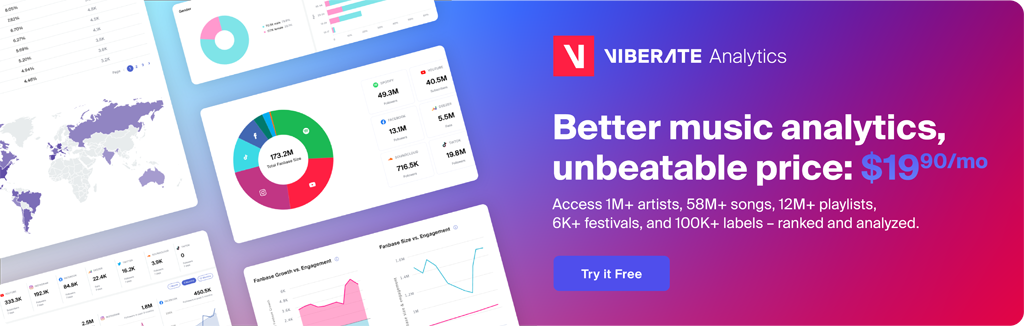
Spotify’s "Recently Played" feature is a simple, yet useful tool for casual users. But if you're an independent artist, label rep, or music manager, your data needs go far beyond what Spotify shows by default.
With Viberate’s Spotify analytics tools, you gain access to professional-level insights that help you grow your audience, discover opportunities, and make smarter decisions. Whether you're analyzing your own stats or scouting talent, Viberate puts you in control of the data that matters most.
Explore Spotify analytics on Viberate and take your music strategy to the next level.
Source of music data: Viberate.com
📌 Viberate Analytics gives you the data behind the music industry. Built for A&R teams, managers, labels, and artists, it helps you find new talent, analyze audience insights, track Spotify playlists and stats, evaluate tracks and songs, and monitor Spotify, YouTube, streaming, and radio airplay analytics — all connected in one system.
 Next article
 Previous article
11M+ artists, 100M+ songs, 19M+ playlists, 6K+ festivals and 100K+ labels on one platform, built for industry professionals.