Matic Magister
Oct 15, 2026

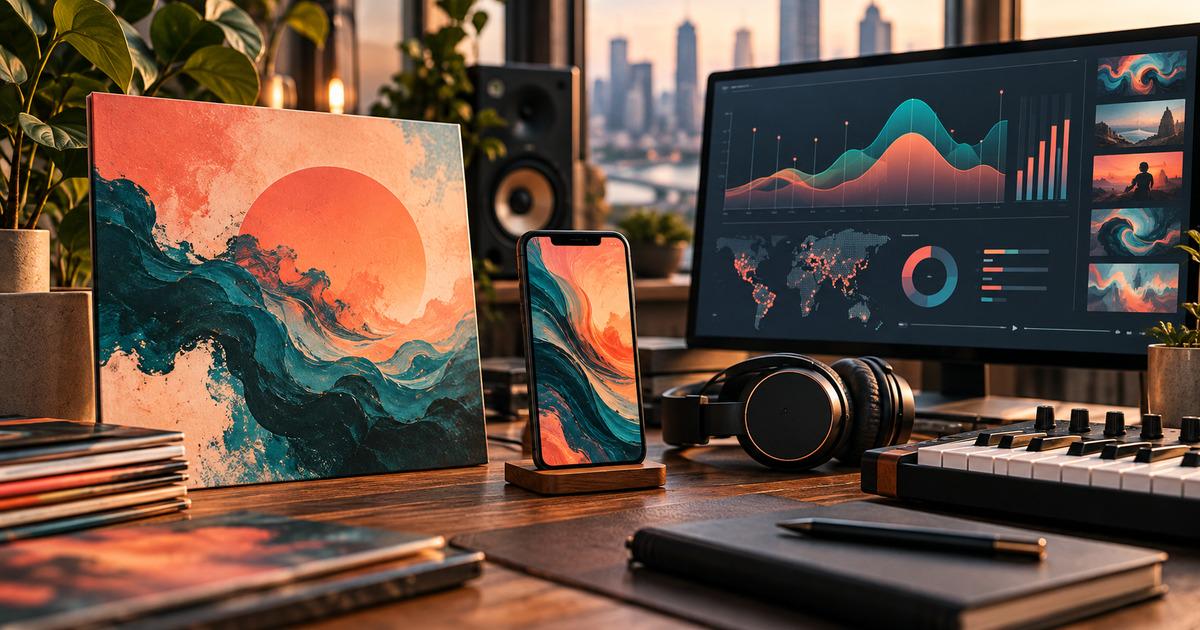

Your audience data already tells you who your fans are, where they listen, and what they share. Here is how to turn those signals into a release visual plan that actually fits them.
Most release visuals begin with a mood board. The artist and their team collect references they like, pick a color palette, and build cover art, a Canvas, and a few social clips around that feeling. Sometimes it works. Often, the visuals look great but miss the people who actually stream the music.
A more reliable approach starts one step earlier, with audience analytics. Age ranges, top cities, platform strength, and past content performance can tell you which formats deserve the most attention, which aesthetics will resonate, and where your promotional effort will pay off. This guide shows artists, managers, and marketers how to read those signals, turn them into a clear visual brief, and plan cover art, Spotify Canvas loops, and short-form clips that work together as one campaign.
Visuals are often the first thing a potential fan sees. A thumbnail in a playlist, a Canvas loop in the Now Playing view, or a ten-second clip on TikTok can decide whether someone presses play or keeps scrolling.
When those visuals are planned without data, teams tend to make three costly mistakes. They spread effort evenly across every platform, even though most artists have one or two channels that drive the majority of growth. They design for an imagined audience rather than the real one. And they treat every market the same, even when streams are concentrated in a handful of cities.
Data does not replace creative instinct. It gives that instinct a direction. The goal is to keep the artist's identity at the center while making smarter decisions about format, tone, and distribution.
You do not need dozens of metrics to plan release visuals. These four signals cover most of the decisions you will make. Music analytics platforms such as Viberate surface them across streaming and social channels, so you can review them in one place before your campaign begins.
Demographics influence visual language more than many teams realize. A fanbase concentrated between 18 and 24 is often fluent in fast, lo-fi, creator-style content. An older audience may respond better to polished imagery, artist portraits, and more traditional storytelling. Use the age and gender breakdown to set the overall tone, not to stereotype fans.
City-level data is one of the most valuable inputs for release planning. If a large share of listeners sits in São Paulo, Mexico City, and Madrid, your visuals and captions should feel at home in those places. You might produce Spanish and Portuguese caption variants, reference local scenes, or schedule posts for those time zones. Viberate's audience analytics, for example, break down Spotify listeners across more than 100 cities per artist, which makes this kind of targeting practical.
Compare follower growth and engagement across TikTok, Instagram, YouTube, and Spotify. If TikTok engagement is far ahead of every other channel, short vertical video should lead your campaign. If YouTube is your strongest platform, a lyric video or visualizer may deserve a bigger share of the budget. Your strongest channel should receive your strongest visual assets.
Finally, review your past posts. Look at which videos earned the most engagement relative to your follower count, not just the most views. Note the patterns: Was it behind-the-scenes footage, performance clips, or atmospheric visuals? Did people respond to the artist's face, to scenery, or to text-driven storytelling? These patterns tell you what your audience already wants to see.
Once you have reviewed these signals, condense them into a single page. A visual brief keeps everyone aligned, from the designer and video editor to the label and management team.
A strong brief includes:
Here is a short example for a fictional indie-pop artist: "Core audience is 18 to 24, strongest on TikTok, with growing listener bases in Manila and Los Angeles. Direction is dreamy, sunlit, and analog. Palette is peach, faded teal, and cream. Priority formats are vertical clips, then Canvas, then cover art. Add Tagalog caption variants for Manila."
This brief becomes the source for every visual decision that follows.
Cover art is the anchor of your release identity, but most listeners will see it as a small square in a playlist, a search result, or a lock screen. Design for that reality.
Start by checking the requirements of your distributor, since most ask for square artwork of at least 3000 by 3000 pixels. Then test your design at a very small size. If the main subject, the contrast, and the overall mood are still clear at the size of a fingernail, the artwork will hold up in a crowded playlist.
Keep text minimal. Artist names and titles already appear next to the artwork on streaming platforms, so large typography often adds clutter. Instead, focus on one strong visual idea that reflects your brief, whether that is a portrait, an object, a texture, or a scene. Finally, remember that your cover art will set the color and mood for the Canvas and clips that follow, so finalize it before you produce the rest.
The biggest risk in a multi-format campaign is drift. The cover art looks one way, the Canvas looks slightly different, and the TikTok clips look like they belong to another artist. Fans notice the inconsistency, even if they cannot explain it.
To avoid this, produce your assets from the same brief and the same reference images. An AI Creative OS can help here. ImagineArt's AI Creative OS lets you describe a campaign once in a single chat, then generate and refine still images and video from that same brief, so the palette, lighting, and mood carry over from one format to the next. Instead of re-explaining the concept to three different tools, you can ask for a warmer grade or a slower camera move in plain language and keep everything aligned.
Always feed these tools the artist's own material. Use approved photos, existing artwork, and the brief's palette as references. AI should extend the artist's identity, not invent a new one.
Canvas is the short looping video that replaces album art in the Now Playing view on Spotify. According to Spotify's guidelines, a Canvas must be three to eight seconds long, use a vertical 9:16 ratio, measure between 720 and 1080 pixels tall, and be uploaded as an MP4 or JPG file.
Spotify also recommends avoiding footage of talking, singing, or rapping, since the loop will not sync with the lyrics. It advises against rapid cuts or intense flashing, and it suggests leaving out the song and artist name because they already appear on screen.
Use your audience data to choose the Canvas concept. For a young, TikTok-native fanbase, a subtle, hypnotic loop that invites a screenshot or a share often works well. For an audience that responds to the artist's presence, a slow, intimate portrait shot can build connection. In every case, connect the Canvas to the cover art so the two feel like parts of the same world.
Spotify also describes three loop styles worth considering. A continuous loop flows seamlessly from end to start, a hard cut uses a clear edit point, and a rebound plays the clip forward and then in reverse. A rebound is often the easiest way to create a smooth loop from a single generated shot.
Short-form clips are where your platform data matters most. Prioritize the channel where your engagement is strongest, then adapt from there.
Plan clips around three roles. Teaser clips build anticipation before release. Hook clips feature the most memorable seconds of the song and give fans something to use in their own videos. Story clips show the people, places, and process behind the music. Whatever the role, open with motion or a striking image in the first second, since viewers decide very quickly whether to keep watching. Keep text overlays short and place them away from the edges, where platform buttons and captions can cover them.
A Video Generation Tool can speed up this stage, especially for teams without a dedicated editor. With ImagineArt's Video Generation Tool, you can turn approved cover art or an artist photo into short vertical clips, test several visual concepts quickly, and export in the formats each platform expects. This makes it practical to create market-specific variants, such as a version with Tagalog captions for Manila or a version timed for evening posting in Mexico City.
Do not let AI replace real artist footage entirely. Fans follow people, so mix generated visuals with authentic performance clips, studio moments, and direct-to-camera posts.
Here is a simple timeline you can adapt for a single release:
The data loop does not end at release. After launch, compare performance against the baseline you reviewed during planning.
Track streams and saves for the track, playlist adds, and listener growth in the cities you targeted. On social channels, compare engagement rates on your new clips with your previous averages. If you created market-specific variants, check whether listener growth in those cities accelerated after the posts went live.
Spotify for Artists reports Canvas views alongside track metrics, which helps you judge whether the loop is earning attention. Cross-channel tools such as Viberate can also send alerts for spikes in followers, playlist placements, or chart positions, so you can respond quickly when something starts working.
Treat each release as an experiment. Document which visual concepts, formats, and markets performed best, and carry those lessons into the next campaign.
Data-driven planning should never turn an artist into a template. Use analytics to make informed decisions, but let the artist approve every visual and veto anything that does not feel true to their work.
Be thoughtful with AI-generated visuals. Build from the artist's own photography and artwork, avoid imitating other artists' signature styles, and follow each platform's current rules on labeling AI-generated content. Transparency protects trust, and in the music community, trust is everything.
Great release visuals are not just beautiful. They reach the right people, on the right platforms, in the right markets. By starting with audience analytics, you can turn age data, city-level listening, platform strength, and past content performance into a focused brief that guides your cover art, Canvas, and short-form clips.
Review your data, write one clear brief, keep your visual identity consistent, and measure the results after launch. Each release will teach you more about your fans, and your visuals will become sharper every time.
Source of music data: Viberate.com
-
📌 Viberate - Music Intelligence is the data & AI layer behind music analytics, connecting artist discovery, audiences, playlists, tracks, Spotify, TikTok, YouTube, streaming, and radio airplay.
 Next article
 Previous article
11M+ artists, 100M+ songs, 12M+ playlists, 6K+ festivals and 100K+ labels on one platform, built for industry professionals.