Vasja Veber
Nov 25, 2026

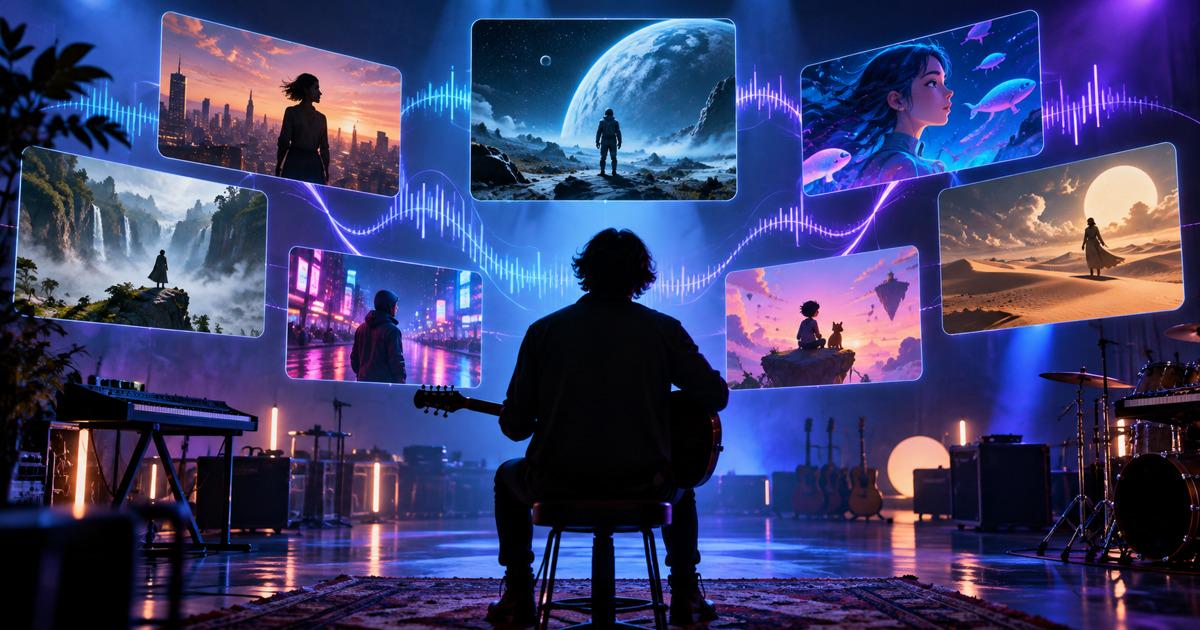

A song often reaches listeners through more than one screen. The full music video may appear on YouTube, while a short vertical clip introduces the hook on social media. A cover image, release announcement, and later performance footage may all circulate beside it. If each piece looks unrelated, the artist has to introduce the song from the beginning every time.
A visual identity gives those encounters a shared memory. It can be simple: a recurring frame, a color that changes as the song develops, or a setting that looks different each time the chorus returns. The goal is not to turn every asset into the same image. It is to make the visual choices feel like parts of one release.
Figure 1. One visual rule across four release assets
Shared rule | Full video | Vertical teaser | Cover still | Follow-up post |
|---|---|---|---|---|
Each chorus moves farther from the starting room | Show the gradual move across the complete track | Use one clear transition into the chorus | Frame the recurring doorway or location | Reveal how the final setting changed the story |
Figure 1. One example of a visual rule traveling across a release. Each asset uses the same idea for a different purpose.
Start by listening for repetition and change. Which phrase returns? Does the arrangement grow denser, become quieter, or shift its mood? Is there a moment where the lyric changes what the listener thinks the song is about? These questions are more useful than choosing a fashionable visual style first.
Write one sentence that describes what happens on screen. “Each chorus moves the performer farther from the room where the song began” is a workable rule. It suggests locations, camera distance, and a final image. “Dreamy cinematic visuals” may describe a mood, but it does not tell an editor what to make or how to judge the result.
Now gather a small reference set. Choose examples of lighting, framing, texture, and movement that support the rule. Keep them consistent with the artist's existing work if this release belongs to a larger catalog. An artist known for intimate performance may still make a surreal video, but a familiar color, silhouette, or camera approach can connect it to previous releases.
Limit the reference set enough that conflicting directions become obvious. One reference might show the lighting, another the movement, and a third the framing. A folder of dozens of unrelated images can make a team feel prepared while leaving the actual decisions unresolved.
Divide the track into sections: intro, verses, choruses, bridge, and ending. Give each section a visual purpose. The intro can establish the location and its rules. A verse can add a detail that changes the viewer's understanding. The chorus can reveal the central image. The bridge can disrupt it. The ending can show what remains after that change.
This outline works even when the video is abstract. A recurring shape can appear in different forms. A color can spread across the frame. The camera can move closer as the arrangement becomes more intimate. What matters is that the change follows the music rather than a random sequence of attractive clips.
Make a short shot list with the song time, proposed image, and reason for the shot. If the team cannot explain why a frame belongs to that moment, it may belong in a different video. The list also helps spot a common problem: every section carrying the same emotional weight. A strong chorus needs contrast, and the images can help create it.
The music video should supply the campaign's central visual material. A frame from the opening can become an announcement still. A moment from the chorus can become a teaser. A final image can support a post after release. Planning these assets is easier when the video has a coherent visual idea.
An AI music video generator like MusVideo can start from the artist's MP3 or WAV, propose a story and scene plan, and let the creator review key images before generating video clips. Individual scenes can be revised, and the sequence can be composed with the original audio. That staged process is useful for checking whether the visual rule develops across the song rather than appearing once and disappearing.
Begin with a short section that tests the hardest part of the concept. If the video depends on a recurring performer, inspect continuity across several shots. If it depends on a changing location, check whether viewers can still recognize the place. If the hook relies on a lyric, verify that any text on screen remains readable while the music plays.
Generated footage still needs editorial judgment. Watch at normal speed, with the intended audio. A frame can look impressive as a still and feel too busy inside the song. A character may change clothes or appearance between shots. A transition may arrive before the musical phrase is ready. These are reasons to revise the plan or a particular scene, not reasons to abandon the whole idea.
A social preview is not automatically a smaller copy of the full video. A vertical crop can remove the object that makes a wide shot work. An excerpt beginning in the middle of the visual story may have no clear setup. Choose a segment with its own beginning, turn, and ending, even if it is brief.
Keep the same visual vocabulary across versions. The recurring color, framing, or location can help a listener recognize the release while the composition changes for each platform. Review faces and text on a phone rather than relying only on a desktop preview. Check that captions do not cover the visual detail the teaser is meant to introduce.
Think about sound as well as image. The teaser should begin where the music can carry a viewer into the clip; a visually strong frame is not enough if the excerpt starts on an awkward fragment. If the chorus is the release's strongest entry point, a few seconds of setup may make its arrival more satisfying.
The announcement can introduce the concept. The teaser can show its strongest turn. The full video can develop it. A later post can reveal a detail that viewers may have missed. These pieces can share a visual identity without repeating the same message.
Asset | Primary job | Adaptation of the visual rule | Final review |
|---|---|---|---|
Full music video | Develop the idea across the song | Let the recurring element change by section | Check continuity, pacing, and the final payoff |
Vertical teaser | Give a new viewer one complete moment | Use the strongest turn with a brief setup | Check crop, captions, and the musical entry point on a phone |
Cover or announcement still | Make the release recognizable at a glance | Show the recurring element in a single clear frame | Check legibility at thumbnail size |
Follow-up post | Reward attention after release | Reveal a detail or choice not obvious in the teaser | Check that it adds insight rather than repeating the launch copy |
Table 1. A release brief template. The specific asset list should follow the artist's actual channels and schedule.
Keep the copy as specific as the images. A note about why the final chorus changes location gives listeners a reason to watch again. A generic claim that the video is groundbreaking does not tell them what to notice. If there is a behind-the-scenes explanation, show the decision that shaped the work rather than presenting a long list of tools.
After release, look at what viewers actually respond to. Which excerpt brings them into the full video? Which image appears in comments or shares? Do viewers understand the intended progression, or do they remember a different moment? These observations can inform the next release brief without making every creative choice a performance metric.
A visual identity is successful when someone can describe it after one encounter and recognize it in the next. It does not require an elaborate set or a large team. It requires a rule connected to the song, careful review of how that rule develops, and a few assets that give the same creative idea room to travel.
Source of music data: Viberate.com
-
📌 Viberate - Music Intelligence is the data & AI layer behind music analytics, connecting artist discovery, audiences, playlists, tracks, Spotify, TikTok, YouTube, streaming, and radio airplay.
 Next article
 Previous article

11M+ artists, 100M+ songs, 12M+ playlists, 6K+ festivals and 100K+ labels on one platform, built for industry professionals.