Kristian Gorenc Z
Dec 24, 2025



If you're an independent artist looking to release your music on Spotify, understanding the process of creating, uploading, and promoting your song is crucial. This guide will walk you through all the necessary steps, from songwriting to leveraging Spotify analytics for effective promotion.
The first step in releasing a song on Spotify is to create the music itself. Begin by writing your song, focusing on melody, lyrics, and structure. For those who may not have access to traditional studio equipment, digital audio workstations (DAWs) like Soundtrap offer an excellent solution. Soundtrap is a browser-based platform that enables you to compose, create, and collaborate with other artists without needing a lot of advanced technical skills or hardware.
The songwriting process involves:
Once your song is written, it's time to record it. High-quality recordings are essential if you want your track to stand out on Spotify, so you'll need the right equipment, such as a good microphone and an audio interface. This is where your DAW, such as Soundtrap, continues to come in handy—it provides all the tools needed for recording, editing, and mixing your tracks in one place.
Consider the following while recording:
After recording your song, the next step is to mix and master it. Mixing involves balancing the levels of each instrument, adjusting effects like reverb or delay, and ensuring that all elements of the track work well together. Mastering is the final process that makes your track sound polished across various playback systems.
Mixing and mastering require a good understanding of audio balance and clarity, and while it can be done in Soundtrap or other DAWs, many artists choose to hire a professional to make sure their track is radio-ready.
Once your song is complete, it's time to get it onto Spotify. Unlike other platforms, Spotify does not allow artists to upload music directly, as it relies on distribution services to maintain quality and standardization. You will need a music distribution service to distribute your track. These services not only get your music onto Spotify but also help release it on other streaming platforms like Apple Music, Amazon Music, and YouTube Music.
When selecting a distributor, consider the following:
An often overlooked part of uploading your music is providing accurate metadata and high-quality cover art. Metadata includes information like the song title, artist name, release date, and genre. Accurate metadata helps Spotify categorize your song correctly, making it easier for listeners to discover your music.
High-quality artwork is also crucial—a compelling visual representation of your music can catch a listener's eye and help convey the mood of your track.
After your song is live on Spotify, promotion is key to gaining listeners. Use social media to create hype around your release, engage your followers, and get your track featured in user-generated or official playlists. Submit your song to Spotify's editorial playlists using the Spotify for Artists platform and reach out to independent playlist curators.
Social media campaigns, music blogs, and collaborations with other artists are also effective ways to get the word out. Creating video content, such as lyric videos or behind-the-scenes clips, can increase engagement and help your music reach a wider audience.
A critical part of your success on Spotify is understanding how your song is performing. Tracking metrics such as streams, saves, and playlist adds can provide valuable insight into how your audience is interacting with your music. Artists can use this information to adjust their promotional strategies, focusing on the platforms and playlists driving the most engagement, and refining their marketing efforts to better reach their target audience. This is where Viberate's Spotify for Artists analytics comes into play, giving you access to all your streaming data in one place.
Viberate offers powerful analytics tools that go beyond what Spotify for Artists provides. By connecting your Spotify and other music channels to Viberate, you can monitor daily and historical data, including followers, listeners, streams, saves, and playlist adds—all from a single dashboard. With Viberate, you can:
To get the most out of Viberate, you can connect not only Spotify but also Apple Music, Amazon Music, Shazam, YouTube, SoundCloud, Deezer, and even radio airplay stats. Viberate's platform integrates data from all of these channels, providing a holistic view of your music's performance across multiple services. This makes it a perfect hub for planning, monitoring releases, and tracking overall audience engagement.
In addition to music analytics, Viberate offers insights into your social media performance. By connecting your TikTok, Instagram, and Facebook accounts, you can monitor which content works best, understand your fanbase, and measure the effectiveness of your marketing campaigns—all from the same platform.
Viberate also offers every artist a professional public page that contains your signature content, stats, and upcoming events. This page is automatically updated, beautifully designed, and shareable with music professionals looking for artists for gigs or collaborations. You can even add a booking button to make it easier for event organizers to contact you.
Getting your song on Spotify involves more than just uploading an audio file—it's about crafting a well-produced track, distributing it correctly, and promoting it effectively. Using a service like Viberate can give you the insights you need to take your Spotify presence to the next level by combining Spotify for Artists stats with data from other platforms, empowering you to reach the right audience and grow your fanbase.
Whether you're a beginner or a more experienced artist, these steps will help guide you through the process of making your song available on Spotify, and tools like Viberate will help ensure that your song reaches as many ears as possible. and grow your music career has never been more accessible with the right preparation and tools at your disposal.
Source of music data: Viberate.com
📌 Viberate Analytics gives you the data behind the music industry. Built for A&R teams, managers, labels, and artists, it helps you find new talent, analyze audience insights, track Spotify playlists and stats, evaluate tracks and songs, and monitor Spotify, YouTube, streaming, and radio airplay analytics — all connected in one system.
 Next article
 Previous article
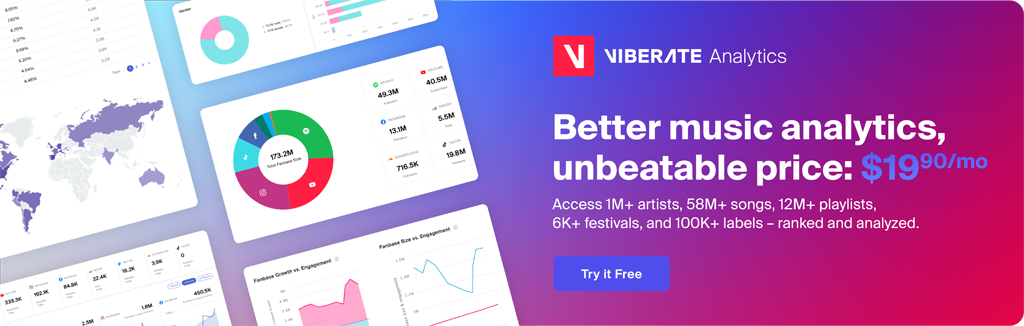
11M+ artists, 100M+ songs, 19M+ playlists, 6K+ festivals and 100K+ labels on one platform, built for industry professionals.