Viberate
Oct 16, 2026

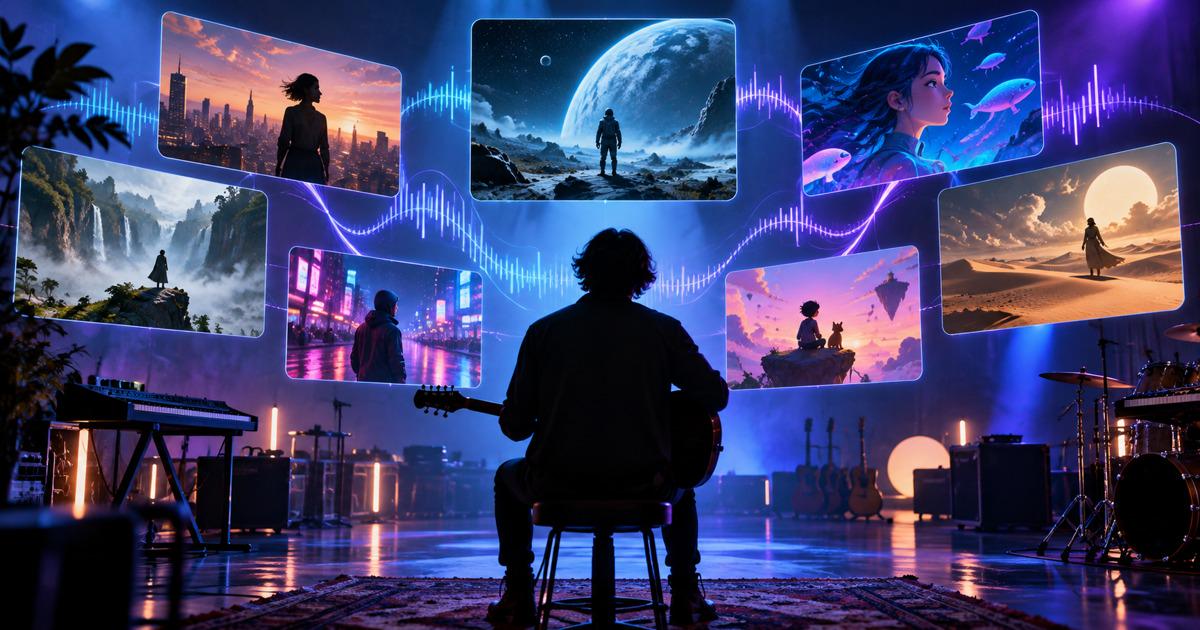

A music video used to mean a crew, a location, a day of shooting and a week of editing. In 2026, an independent artist can upload a finished track and get back a complete, beat-synced video the same afternoon. The catch is that "AI music video generator" now covers very different tools. Some build a full story with characters around your song. Some make abstract visuals that pulse to the beat. Others generate gorgeous clips that you still have to cut to the music yourself.
We compared the leading options on what actually matters for a release: whether they cover a full song, how well they follow the music, whether characters stay consistent from verse to chorus, and what a finished video really costs.
Quick answer: the best AI music video generators in 2026 are:
A music video has a different job from a short film or an ad, and a tool that's excellent at one can fall flat on the other. These are the five things that separate the tools:
We scored each tool against the five criteria above using its current features, plan limits and published pricing as of October 2026, plus the strengths and weaknesses reported in recent hands-on reviews.
If you want to compare them yourself before committing to a plan, run the same test in each:
● The track: a 3–4 minute song with a clear verse–chorus structure, ideally with a tempo or energy change in the bridge
● The brief: one recurring main character, a simple three-part story, and the same visual style prompt in each tool
● What to score (1–5 each): beat timing, section changes (does the chorus feel different from the verse?), character consistency from first to last shot, lyric accuracy where supported, and how many shots needed regenerating
● What to record: total generation time, total cost, and minutes of manual editing to reach a finished video
Best for: artists who want a narrative music video, YouTube channels built on songs, kids' and educational music, and anyone who needs the same characters across a series of videos.
LongStories.ai treats a music video as a story rather than a collection of clips. You upload a finished song, choose a visual style and add your lyrics or notes for more control. It then builds the video scene by scene, with visuals synced to the beat and characters that stay recognizable from start to finish.
What sets it apart is that it covers the whole pipeline. If you don't have a track yet, you can describe the song you want (what it's about, how it sounds, who sings) and generate it, with automatic lyrics, your own lyrics or an instrumental, across 16 genres and 10 moods. Every song you make there can become a music video in the same project.
Its character system is the strongest of any tool here. You create a character once and reuse it in every scene and every future video. The Series feature keeps your cast, voices and world for the next release, which matters if you're building a channel or an artist universe rather than a one-off video. Universes let you define a setting with its own look and locations.
It's proven on real channels. One YouTube channel built with LongStories turns children's moral stories into music videos and has grown to around 50,000 subscribers; its creator says character consistency across clips made editing far easier and cut the technical work involved. Another creator with 35,000 subscribers made a full music video with it for the same reason.
Pros
● Full music videos from a single uploaded song, plus a built-in song generator
● The most reliable character consistency here, within a video and across a series
● Many animated styles, including Pixar-style, anime, cartoon and comic book
● Edit or regenerate a single scene without redoing the whole video
● Upscaling up to 4K, and direct upload or scheduling to YouTube
● Unused credits roll over to the next month
Cons
● Leans toward stylized and animated looks rather than photoreal performance footage
● No free video generation: sign-up includes 200 credits for characters and scripts only
● Less fine-grained beat control than a dedicated visualizer like Neural Frames
Pricing: Pro is $59/month for 4,500 credits, Creator $99 for 8,500, Creator Max $199 for 17,000, Studio $299 for 26,000 and Studio Max $499 for 45,000. Annual billing saves 25%. Videos run up to 10 minutes on Pro and Creator, and up to 15 minutes on Creator Max and above.
What a 3:30 music video costs: based on LongStories' published per-minute rates (571 credits per minute at 480p, 1,099 at 1080p), a 3.5-minute video uses about 2,000 credits at 480p (about $26 on Pro) or about 3,850 at 1080p (about $50). Either fits inside the Pro plan's monthly allowance.
Best for: electronic and experimental artists, visualizers, live-show backdrops and anyone who wants visuals that react to individual instruments.
Neural Frames is built around the audio itself. It can split your track into stems and make visual effects respond to each one, so a kick drum can trigger a camera pulse while the synth line drives color shifts. Its Autopilot mode produces full-length music videos of up to 10 minutes, and the platform also offers lyric and lip-sync features for vocal performances.
Pros
● The deepest audio reactivity here, down to individual stems
● Full-song output up to 10 minutes with Autopilot
● Lyric and lip-sync options
● Built-in vertical conversion for Shorts, Reels and TikTok, and 4K upscaling on higher plans
Cons
● More controls to learn than the simpler tools
● Better suited to abstract and visualizer styles than to a character-driven story
● Plans are priced in credits, and how many credits a full song uses depends on the model and length
Pricing: Neural Knight is $39/month (2,400 credits, 7 models), Neural Ninja $99/month (7,200 credits, 10 models, 4K upscaling) and Neural Nirvana $299/month (24,000 credits). Annual billing brings these to $26, $66 and $199 a month.
Best for: musicians who need fast, social-ready videos and lyric videos on a small budget.
Freebeat is designed for speed. You upload a track or link one from Suno, and it produces a video cut to the song's main beat. Its lyric video mode is its most reliable feature in published reviews, with accurate timing and plenty of customization. You can regenerate individual scenes without starting over.
Pros
● Free tier for testing (30-second videos, watermarked)
● Strong lyric video mode
● Suno integration for AI-made tracks
● Per-scene editing
Cons
● Locks onto the dominant beat but can miss secondary rhythms and layered productions
● Character consistency is weaker in its visual (non-lyric) mode
● Lower plans export at 720p; 1080p starts on the Ultimate plan
● Unused monthly credits expire, and videos max out at about 6 minutes on paid plans
Pricing (standard rates; promotions are often lower): Basic $6.99/week (720p), Pro $34.99/month (10,000 credits, 720p), Ultimate $49.99/month (19,000 credits, 1080p) and Creator $249/month (95,000 credits). The free tier includes 500 non-expiring credits.
Best for: artists and directors who want the most polished individual shots, with sound, and are comfortable building the music video in an editor.
Veo 3.1 is Google's flagship video model and one of the highest-quality general-purpose generators available. It isn't a music video tool: it doesn't analyze your song or plan a video around it. What it does very well is produce realistic, cinematic shots with native audio, which makes it a strong source of hero moments, performance-style shots and B-roll that you cut to the track yourself.
Pros
● Excellent image quality and realism
● Native audio, including sound effects and ambience, generated with the picture
● Three tiers to balance cost and quality: Lite, Fast and Standard
Cons
● 8-second clips, so a 3:30 song needs about 27 separate generations
● No beat analysis, lyric tools or full-song output; timing and assembly are manual
● Characters can drift between clips unless you work carefully with reference images
Pricing and cost per song: Veo 3.1 is billed per second of video. At 1080p with audio, Lite costs $0.08 per second, Fast $0.12 and Standard $0.40. For 3 minutes 30 seconds of footage, that's about $17 on Lite, $25 on Fast or $84 on Standard, for a single take of every shot and before any editing.
Best for: directors and editors who want maximum visual control and a full creative toolkit in one place.
Runway produces some of the most cinematic footage available, and its paid plans include lip-sync, voice and sound tools, plus access to other models inside the same workspace. Like Veo, it isn't music-first: you generate clips one at a time and handle all the musical timing in your editor.
Pros
● Excellent cinematic image quality and editing controls
● Lip-sync and voice tools, plus access to several third-party models
● Unlimited 4K upscaling on Pro and Max
Cons
● No automatic beat sync or full-song generation
● A 3:30 song means many separate generations and a manual edit
● Monthly credits on Standard and Pro don't roll over
Pricing and cost per song: Standard is $15/month (625 credits), Pro $35/month (2,250 credits) and Max $95/month (9,500 credits). Gen-4.5 uses 12 credits per second, so 3 minutes 30 seconds of footage is 2,520 credits, about $39 on Pro rates for a single take of every shot. That's more than the Pro plan's monthly allowance, before any retakes.
The five tools fall into two groups, and it's the most important choice you'll make:
● Music-first tools (LongStories.ai, Neural Frames, Freebeat) take your song as the starting point and produce a complete video, with timing handled for you.
● General video models (Veo 3.1, Runway, and others like Kling 3.0) make beautiful clips but leave the structure, timing and assembly to you.
On raw price per second, the general models can look cheaper. Once you count retakes, beat-matching and editing 20 to 30 clips per song, a music-first tool almost always gets to a finished video faster and often for less. General models earn their place for a few premium shots, or when you want total manual control.
● You want a story music video with a recurring character: LongStories.ai
● You don't have a song yet, or you're building a channel around original songs: LongStories.ai
● You make kids' or sing-along music: LongStories.ai
● You want visuals that react to the drums, bass and synths: Neural Frames
● You need a quick lyric video or a social clip on a tight budget: Freebeat
● You want a few premium, realistic shots with sound: Google Veo 3.1
● You want cinematic footage and a full editing toolkit: Runway
● Check commercial rights. Free tiers on several tools are for non-commercial use only. Use a paid plan for anything you'll monetize or distribute.
● Confirm export quality. Some plans cap at 720p or add a watermark. Check before you render the final version.
● Clear your song. If you used an AI-generated track, read that tool's terms on ownership and distribution before uploading to streaming platforms.
● Disclose where required. YouTube and other platforms ask creators to label realistic synthetic content. Stylized animation is usually treated differently, but check the current rules for your platform.
● Avoid real likenesses. Don't generate characters that imitate real artists or well-known characters.
For a complete, story-driven music video with consistent characters, LongStories.ai is the strongest option, and it can generate the song as well. For audio-reactive visualizers, Neural Frames is the leader. For fast, low-cost lyric videos, Freebeat is the best budget choice.
Yes. LongStories.ai, Neural Frames and Freebeat all let you upload a finished track and build a full video around it. General video models like Veo 3.1 and Runway can be used too, but you'll need to generate the clips separately and edit them to your song yourself.
LongStories.ai has the strongest character consistency of the tools compared here: you create a character once and it stays the same in every scene and across a series of videos. With clip-based models, characters often drift between shots unless you use reference images carefully.
For a 3:30 song, a full video on LongStories.ai costs roughly $26 at 480p or $50 at 1080p on the Pro plan. Generating the same length of footage costs about 84 with Veo 3.1 depending on tier, or about $39 with Runway Gen-4.5, for one take of every shot and before retakes and editing. Neural Frames and Freebeat price in credits that vary by model and length, so use their calculators for an exact figure.
Music-first tools do. Neural Frames offers the most detailed control, reacting to individual stems. Freebeat syncs to the main beat, and LongStories.ai syncs its scenes to the music. General video models like Veo 3.1 and Runway don't analyze your song, so timing is done by hand in an editor.
Freebeat offers a free tier for testing, though free videos are short, watermarked and limited to non-commercial use. LongStories.ai lets you create characters and scripts for free, but generating a video requires a paid plan.
Generally yes, if you have the commercial rights from the tool (usually a paid plan) and own or have licensed the music. YouTube's policies discourage repetitive, mass-produced uploads, so original songs, characters and editorial care matter.
Source of music data: Viberate.com
-
📌 Viberate - Music Intelligence is the data & AI layer behind music analytics, connecting artist discovery, audiences, playlists, tracks, Spotify, TikTok, YouTube, streaming, and radio airplay.
 Next article
 Previous article
11M+ artists, 100M+ songs, 12M+ playlists, 6K+ festivals and 100K+ labels on one platform, built for industry professionals.