Kristian Gorenc Z
Oct 26, 2026



Spotify analytics has become a core tool for anyone working seriously with music. Artists, managers, A&Rs, and promoters all rely on data to understand how songs perform, where listeners come from, and which trends are worth following. Streams, followers, and playlist placements are no longer abstract numbers. They shape release strategies, tour planning, and even signing decisions. Knowing how to access your listening history inside Spotify is useful, but for professionals, raw listening data needs to be combined with broader analytics to make sense of performance and growth.
One of the simplest ways to engage with Spotify data is through your own listening behavior. Recently played tracks show what you and your audience have been engaging with lately. While this feature is designed for personal use, it introduces the idea that listening activity can be tracked and interpreted. From there, the next step is understanding how artists perform at scale using professional analytics tools.
On the Spotify desktop app, your recently played tracks are accessible through the queue panel. This feature is only available in the desktop application and not in the web player. It shows up to the last 50 tracks you have listened to and allows you to replay them directly from the list.
To see your recently played songs on the Spotify desktop app, click the Queue icon with three horizontal lines in the bottom-right corner. When the panel opens, select the “Recently played” tab at the top. The list displays your most recent tracks, with the newest entries appearing at the bottom. This view is practical for quickly returning to a track you heard earlier in the day or reviewing your latest listening session.
This function is limited in scope. It does not provide historical depth beyond the most recent 50 tracks, and it is tied only to your personal account. For casual listening, this is enough. For professionals who need to understand trends and performance, it highlights why dedicated analytics platforms are needed.
Spotify also offers access to listening history on its mobile app. This version provides a chronological overview of songs, podcasts, and audiobooks you have played, organized by date. It is useful when switching between devices or trying to find something you listened to earlier but forgot to save.
To find your listening history on mobile, open the Spotify app and tap your profile icon, usually located in the top corner. From the menu, select “Listening history” or “Recents.” You will see your recent plays grouped by date. If an entry represents a playlist or album, you can tap the dropdown arrow next to it to reveal the individual tracks inside.
There is also a shortcut in some cases. If a song is currently playing and the app has not been closed, you can tap the back arrow to return to previously played tracks. For deeper insights, some users turn to third-party statistics services that interpret Spotify activity more broadly.

Recently played lists are personal, but the concept behind them reflects a much bigger idea: every play is a data point. For artists and teams, this translates into measurable audience behavior. Which tracks are being replayed, which songs drop off quickly, and how listening changes after a release all tell a story about engagement.
However, Spotify’s built-in views are not designed for professional analysis. They focus on the individual listener rather than the artist or catalog. Music professionals need aggregated views of performance that go far beyond what is visible inside the app. This is where external analytics tools become essential.
To get the most out of Spotify data, Viberate becomes the practical choice for industry use. Instead of focusing on a single account’s history, it analyzes activity across the entire Spotify ecosystem and turns it into structured, comparable metrics.
Viberate provides Spotify analytics for more than 11 million artists, offering professional-grade statistics at a competitive price point. The platform is designed for people who need to evaluate artists, tracks, and audiences at scale. In many ways, it works like Spotify for Artists but extends the scope to every musician releasing on Spotify.
With Viberate, users can analyze monthly listeners, followers, playlist placements, and streaming performance of any artist. This allows managers and labels to benchmark growth, spot unusual spikes, and identify long-term trends. Instead of guessing whether a track is performing well, they can compare it against industry averages and similar artists.
Streaming statistics are collected in one place, making it easier to track song performance over time. Monthly listeners, individual track streams, and engagement ratios all contribute to a clearer picture of how an artist is doing. Audience geolocation adds another layer by showing where listeners are based. This helps adapt promotional campaigns and identify potential markets for live shows.
Playlist analytics is another central feature. By tracking playlist placements, professionals can see which curators are supporting a song and how that exposure translates into streams. This is especially useful when planning pitching strategies or evaluating the impact of playlist campaigns.
Charts designed for talent discovery allow users to customize rankings by genre, country, and growth trends. Instead of browsing randomly, they can filter for artists who are gaining momentum in specific regions or styles. This makes scouting more efficient and data-driven.
One of the most important indicators of performance is the monthly listeners metric. Viberate’s Spotify monthly listeners tracker shows an artist’s listener history over time and compares it to industry averages. This reveals whether growth is steady, sudden, or declining.
Alongside monthly listeners, follower trends are displayed to show how the fanbase evolves. Together, these metrics indicate whether streams come from loyal listeners or from temporary exposure such as viral moments or playlist features.
The platform also ranks all Spotify songs by performance. Users can filter tracks by release date and sort them by all-time streams, streams over the last 12 months, the last month, or even the last seven days. Songs are playable directly in this section, which makes it easy to connect numbers with actual listening experience.
Complete playlist analytics allow users to study how artists are being featured across Spotify playlists. This helps identify which playlists generate the most impact and which curators consistently support certain genres or styles.
By analyzing playlist reach alongside stream growth, professionals can see how exposure translates into sustained listening. This supports better decision-making when choosing where to pitch songs and how to prioritize promotional efforts.
The Spotify tracker also highlights key ratios such as listener-to-follower and streams-to-listener. These figures provide insight into engagement quality. A high stream count with low follower growth may suggest short-term attention, while balanced ratios point to a more stable fanbase.
Understanding where monthly listeners come from is essential for planning tours and campaigns. Viberate provides maps that pinpoint listeners across cities and countries. This allows artists and teams to focus on markets where music is already well received instead of guessing where demand might exist.
Promotional strategies can then be adapted to regional performance. If an artist has strong listener numbers in a specific country, targeted advertising or localized content can increase effectiveness. The same data can support booking decisions by showing where live audiences are likely to respond.
Viberate also supports collaboration planning through Spotify data. By comparing artists with overlapping fanbases, it becomes easier to find potential collaborators or suitable acts for events. Shared listener profiles indicate compatible audiences, which increases the chance that collaborations will resonate.
Charts that rank musicians and songs by Spotify and other metrics are refreshed daily and can be customized by country, genre, rank, and follower range. Filters such as “HOT” help surface trending artists quickly. This structured view turns raw data into practical scouting and planning tools.
Personal listening history on Spotify offers a small-scale view of music consumption. It shows what has been played recently and helps users revisit tracks. For professionals, the same principle applies on a larger scale. Instead of a single account, analytics platforms track millions of listeners and convert their activity into patterns.
When combined with tools like Viberate, Spotify data becomes more than a record of what was played. It becomes a resource for strategy. Artists can monitor how releases perform, managers can evaluate growth, and promoters can identify where audiences are forming.
For those searching for statsforspotify recently played, it is important to distinguish between in-app history and professional analytics. Spotify shows what you listened to. Viberate shows how artists perform across Spotify as a whole. By using professional tools, the industry moves from simple observation to informed decision-making.
To explore professional-level Spotify data, the platform’s dedicated analytics section is available through stats for Spotify recently played. This connects everyday listening concepts with industry-grade performance metrics and provides a structured way to interpret Spotify activity.
Spotify analytics plays a central role in modern music strategy. Recently played features on desktop and mobile introduce the idea that listening behavior can be tracked and reviewed. While useful for individuals, these tools are limited to personal history and short-term views.
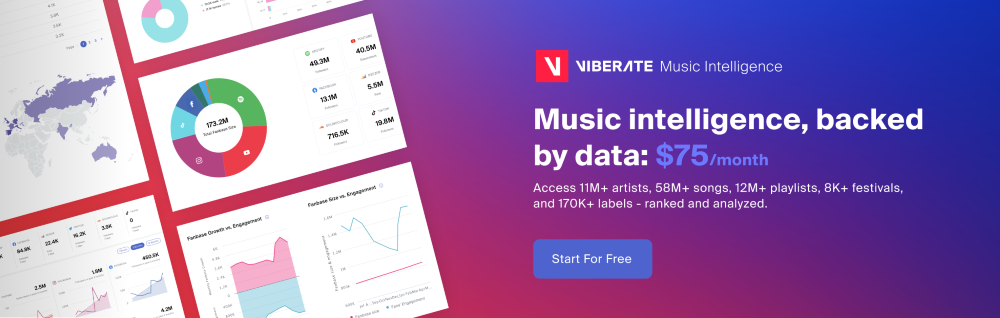
For music professionals, deeper insights are required. Viberate expands Spotify data into a comprehensive analytics environment that covers millions of artists, tracks streaming performance, analyzes playlists, and maps audiences geographically. It supports talent discovery, collaboration planning, and long-term growth analysis.
By moving from simple listening history to structured analytics, professionals gain the ability to measure impact, plan releases, and target audiences with confidence. Spotify data, when paired with dedicated analytics tools, becomes a foundation for informed decisions in today’s music industry.
Source of music data: Viberate.com
-
📌 Viberate - Music Intelligence is the data & AI layer behind music analytics, connecting artist discovery, audiences, playlists, tracks, Spotify, TikTok, YouTube, streaming, and radio airplay.
 Next article
 Previous article
11M+ artists, 100M+ songs, 12M+ playlists, 6K+ festivals and 100K+ labels on one platform, built for industry professionals.