Kristian Gorenc Z
Oct 13, 2026



Spotify is the primary distribution and discovery platform for modern music. For artists, managers, labels, and promoters, it is not enough to upload tracks and hope for results. Decisions about releases, promotion, and touring depend on understanding how listeners behave and how songs perform over time. Spotify analytics provides this insight by turning raw listening activity into structured data that can be measured, compared, and acted on.
Listening history is often the first layer of that data. It shows what you or your audience has been playing lately and reveals short‑term trends in taste and engagement. While this information is simple on the surface, it connects directly to deeper performance metrics such as streams, followers, and playlist placements. When combined with professional analytics tools, recent listening data becomes part of a much broader picture of growth and market response.
On the Spotify desktop app, your listening history is stored in a dedicated panel. This feature is available only in the installed desktop application and not in the web player. It displays your last 50 tracks, ordered by time of play, and allows you to replay any of them directly.
To access your recently played songs on desktop, open the Spotify desktop app and look to the bottom‑right corner of the interface. There you will see the Queue icon, represented by three horizontal lines. Clicking this icon opens a panel that slides out from the side of the screen. At the top of this panel, select the “Recently played” tab. You will then see a list of the tracks you listened to most recently, with the newest entries appearing at the bottom of the list.
This view is useful for quickly returning to songs you heard earlier in the day or for checking what Spotify’s recommendations have been surfacing in your sessions. However, its scope is limited to personal playback and a short time range. It does not provide performance context, audience behavior, or any form of comparative insight across artists or regions.
On mobile devices, Spotify presents listening history in a slightly different way. The mobile app combines recently played content into a chronological list that includes songs, podcasts, and audiobooks. This makes it easier to see how your listening sessions are distributed across different types of content.
To find your listening history on mobile, open the Spotify app and tap your profile icon, usually located in the top corner of the screen. From the menu that appears, select “Listening history” or “Recents.” This opens a list of what you have played, organized by date. In some cases, you can tap a small dropdown arrow next to a playlist or album entry to reveal the individual tracks you listened to within that session.
There is also a shortcut method if the app has not been closed. When a song is playing, you can tap the back arrow to return to the previous screen and see the last items you accessed. For users who want more detail than Spotify provides natively, third‑party statistics services can extend this data with historical tracking and analysis.

While mobile listening history is convenient, it still focuses only on your own activity. For music professionals, the real value lies in connecting this kind of behavioral signal to artist‑level and market‑level performance indicators.
Recently played tracks reflect immediate user behavior, but Spotify analytics explains why certain tracks perform well and how that performance changes over time. For professionals working with artists or catalogs, analytics transforms individual plays into measurable outcomes such as audience growth, playlist reach, and geographic demand.
To get the most out of Spotify data, platforms like Viberate provide a broader and more structured view. Instead of looking only at personal listening history, you can analyze how millions of artists and songs perform across Spotify. This is where tools built specifically for the music industry become essential.
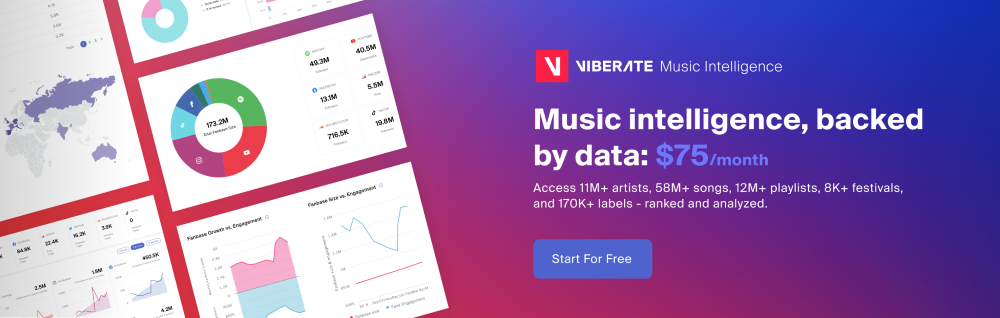
Viberate offers Spotify analytics for more than 11 million artists, covering key performance indicators such as monthly listeners, followers, playlist placements, and streaming activity. The system is designed for professionals who need to evaluate careers, track trends, and compare artists across markets rather than only monitor their own playback history.
A core function of professional Spotify analytics is the ability to see all major performance metrics in a single environment. Viberate centralizes data on monthly listeners and song performance, making it possible to observe changes over time instead of relying on isolated snapshots.
By tracking these numbers consistently, professionals can identify whether a release is gaining traction, plateauing, or declining. This kind of overview is crucial when planning marketing campaigns or deciding which songs to push further with promotional support.
Audience geolocation adds another layer of value. Knowing where listeners are concentrated allows artists and teams to adapt their promotion strategy and identify potential markets for future shows. Instead of guessing which countries or cities respond best, decisions can be based on measurable listener distribution.
Playlist analytics further expands this picture by showing where tracks are being featured and how those placements affect reach. Playlists remain one of the strongest drivers of discovery on Spotify, so understanding which lists contribute to growth helps refine pitching strategies and partnerships.
One of the most widely used benchmarks in Spotify analytics is the monthly listeners metric. It represents the number of unique users who played an artist’s music during a given month. Viberate allows users to see the history of this figure and compare it with the industry average, offering context that is missing from raw counts alone.
Alongside listener data, follower growth provides insight into how stable and engaged a fanbase is becoming. An artist with rising monthly listeners but stagnant followers may be benefiting from temporary exposure, while consistent growth in both suggests long‑term audience development.
Song‑level analysis complements these artist‑level metrics. Every track can be ranked by performance and filtered by release date. Sorting by all‑time streams or shorter periods such as 12 months, one month, or seven days helps distinguish between catalog strength and current momentum. Because tracks are playable directly within the analytics environment, users can move quickly from numbers to actual music evaluation.
Beyond simple stream counts, professional Spotify analytics introduces ratios that clarify how listeners behave. Metrics such as listener‑to‑follower and streams‑to‑listener ratios highlight whether an audience is deeply engaged or only sampling content occasionally.
Tracking these values over time shows whether marketing actions are leading to stronger loyalty or merely short bursts of attention. For labels and managers, this kind of insight is often more important than raw totals, because it signals the quality of growth rather than just its size.
Geographic data also plays a strategic role. By mapping monthly listeners across countries and cities, teams can identify where songs resonate most strongly. This supports decisions about release timing, language targeting, and live performance planning. Instead of relying on assumptions, campaigns can be tailored to regions that already demonstrate interest.
Spotify analytics is not only about monitoring existing artists. It also supports collaboration planning and talent discovery. By comparing audience profiles, professionals can spot artists whose fanbases overlap in taste and scale. This makes it easier to identify suitable partners for features, remixes, or joint tours.
Ranking systems further enhance this process. Viberate maintains charts that organize musicians and songs by Spotify and other platform statistics. These charts are refreshed daily and can be customized by country, genre, rank, and follower range. Filters such as “HOT” highlight artists who are gaining momentum quickly, which is especially useful for scouting emerging talent.
This structured ranking approach turns Spotify data into a discovery engine rather than just a reporting tool. Instead of manually browsing playlists or social media, professionals can rely on quantitative indicators to shortlist candidates for collaboration or booking.
Spotify’s built‑in listening history features are designed for personal use. They help users remember what they played recently and revisit favorite tracks. For music professionals, however, these tools represent only the surface of what is possible with streaming data.
Platforms like Viberate extend this concept by connecting listening behavior to performance metrics across millions of artists. With access to monthly listener trends, playlist placements, geographic distribution, and ranking charts, teams gain a clearer understanding of how music travels through Spotify’s ecosystem.
This approach shifts strategy from intuition to evidence. Release schedules, marketing budgets, and touring plans can all be informed by measurable audience response rather than anecdotal signals. Over time, this leads to more efficient promotion and better alignment between creative output and market demand.
For anyone working in the music industry, learning how to interpret Spotify analytics is becoming as important as understanding radio airplay once was. Listening history may show what happened yesterday, but professional analytics reveals where an artist stands today and where growth is most likely tomorrow. By connecting personal playback data with industry‑level insight, music professionals can move from observation to informed action.
If your goal is to go beyond simple recents and into structured performance analysis, tools such as within Viberate provide access to comprehensive Spotify data designed specifically for professional use.
Source of music data: Viberate.com
-
📌 Viberate - Music Intelligence is the data & AI layer behind music analytics, connecting artist discovery, audiences, playlists, tracks, Spotify, TikTok, YouTube, streaming, and radio airplay.
 Next article
 Previous article
11M+ artists, 100M+ songs, 12M+ playlists, 6K+ festivals and 100K+ labels on one platform, built for industry professionals.