Kristian Gorenc Z
Sep 28, 2026

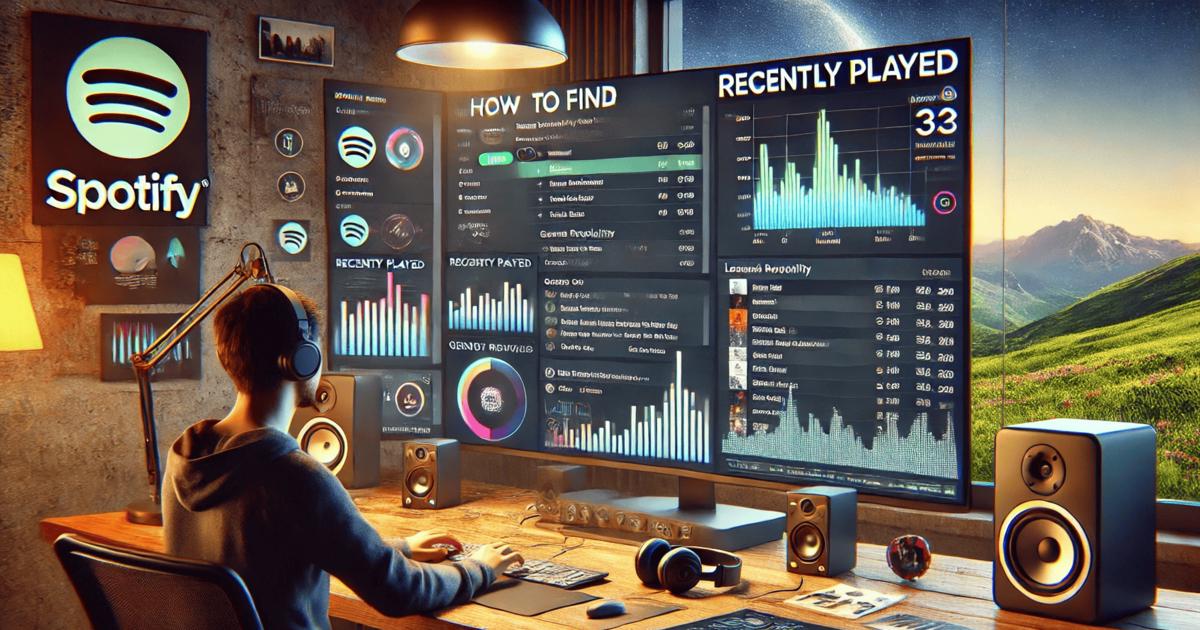

Spotify analytics play a central role in how modern music professionals understand audiences, track performance, and make informed decisions. From independent artists planning their next release to managers monitoring growth across markets, data from Spotify offers a reliable signal of what listeners actually consume. While many people interact with Spotify on a personal level through playlists and daily listening, the platform also stores valuable behavioral data that can be interpreted in a professional context. Learning how to access and interpret listening history is the first step toward using Spotify more strategically.
For everyday users, Spotify makes it easy to review what they have recently listened to. This function is often used to replay a forgotten song or check which podcast episode was played earlier in the day. For music professionals, this same concept highlights how Spotify structures listening data and how it can be expanded through professional analytics platforms. Understanding where to find this information inside the Spotify app helps bridge the gap between casual listening and structured analysis.
To see your recently played songs on the Spotify desktop app, click the Queue icon, which looks like three horizontal lines, in the bottom-right corner of the interface. Once the panel opens, select the “Recently played” tab at the top of that panel. This view shows your recent listening history directly inside the desktop application.
This feature allows you to replay tracks from your recent history without searching for them again. It is limited to the last 50 tracks and is only available in the Spotify desktop app, not in the web player. The list is ordered chronologically, with the newest track appearing at the bottom. This makes it easy to follow the sequence of what you have listened to over time.
The process can be described in a few clear steps. First, open the Spotify desktop app rather than the browser version. Then look to the bottom-right corner of the application window. Click the Queue icon with three horizontal lines. When the side panel slides out, click the “Recently played” tab at the top. You will then see a list of your most recent tracks, displayed in order, with the latest track shown at the bottom of the list.
This built-in history is practical for personal use, but it is not designed as a professional analytics tool. It shows only a limited number of tracks and does not provide deeper insight into listening behavior beyond the individual account. There is no way to filter by artist performance, location, or time range, and the data cannot be exported for analysis. As a result, while it is useful for revisiting music you played recently, it does not replace structured Spotify analytics for professional use.
Spotify also offers access to listening history on its mobile app. To find your recently played music on a phone, tap your profile icon in the top corner of the screen. From there, select “Listening history” or “Recents.” This opens a chronological list of songs, podcasts, and audiobooks that you have played, grouped by date.
This mobile view is more flexible than the desktop queue panel in some situations because it can show a broader timeline organized by days. You can tap a dropdown arrow next to a playlist or album entry to reveal individual tracks within that session. This makes it easier to retrace what you listened to during a particular period, such as earlier in the week or during a commute.
There is also a quick-access option in certain cases. If the app has not been closed, you can tap the currently playing song and use the back arrow to step through previously played tracks. This method works only within the same session, but it can be helpful if you want to return to a song that played moments earlier.
For users who want deeper insight into their own listening habits, third-party statistics sites can also process Spotify data and present it in different formats. These services focus on personal usage patterns rather than industry-wide performance. They are helpful for understanding personal taste, but they are not built for evaluating how artists perform across the wider Spotify ecosystem.
While Spotify’s built-in listening history features are useful, they remain limited to the perspective of a single account. Music professionals usually need broader and more detailed information. They want to know how an artist is performing globally, how many listeners a track attracts, which playlists drive streams, and which regions respond most strongly to releases. This is where professional Spotify analytics tools become essential.
Instead of focusing on what one user listened to, professional analytics platforms aggregate performance data across millions of listeners. They transform raw streaming numbers into structured insights that can be compared across artists, genres, and markets. These tools make it possible to monitor growth over time and evaluate whether promotional strategies are working.
When working with Spotify data at a professional level, the goal is not just to review history but to understand patterns. Monthly listeners, follower growth, and playlist placements offer a clearer picture of an artist’s trajectory than a simple list of recently played tracks. These metrics support decisions about touring, marketing budgets, and collaboration strategies.
To get the most out of Spotify data, Viberate provides a professional analytics environment built for the music industry. It offers Spotify analytics for more than 11 million artists, with a structure designed for managers, labels, promoters, and artists who need actionable insight rather than raw listening history.
Viberate works in a similar category to Spotify for Artists, but it is designed for broader industry use. Instead of limiting access to artists who claim profiles, it allows users to analyze every musician releasing on Spotify. This makes it possible to study competitors, identify rising talent, and compare performance across different markets.
One of the core benefits of Viberate is that it brings streaming statistics into a single system. Users can track monthly listeners and song performance while also viewing how these metrics evolve over time. Audience geolocation data makes it possible to see where listeners are based, which helps when planning tours, release campaigns, or regional promotions. Playlist analytics reveal which playlists contribute to reach and visibility, helping professionals understand how songs circulate within Spotify’s ecosystem.

For those who want to examine Spotify performance in more depth, the platform offers a Spotify monthly listeners tracker. This feature shows the history of an artist’s monthly listeners and compares it with industry averages. It also includes an overview of followers, which indicates how the fan base develops over time. This historical view helps distinguish between short-term spikes and long-term growth trends.
Viberate also analyzes Spotify songs at scale. Every track is ranked by performance, and users can filter songs by release date and sort them by streams over different periods, including all-time, twelve months, one month, and seven days. Songs are playable within the interface, which makes it easier to connect numerical performance with actual listening experience. This approach turns abstract metrics into something that can be evaluated musically as well as statistically.
Another important area is playlist analytics. Viberate allows users to analyze playlist placements for every artist releasing on Spotify. By identifying which playlists drive streams and where new placements appear, professionals can better understand how a track gains visibility. This information supports outreach strategies aimed at curators and helps evaluate whether playlisting efforts are effective.
Beyond individual songs and playlists, Viberate provides a tracker for overall streams and other key statistics. It highlights performance changes and includes ratios such as listener-to-follower and streams-to-listener over time. These indicators help explain whether growth comes from repeat listeners or from reaching new audiences. Over time, this makes it easier to judge the quality and sustainability of an artist’s streaming performance.
Geographic data is another central feature. Viberate shows where monthly listeners are coming from by mapping audiences across cities and countries. This information is particularly useful for planning concerts, tours, and promotional campaigns. If an artist shows strong listener numbers in specific regions, promotion can be adapted to those markets, increasing the efficiency of marketing efforts.
Collaboration planning is also supported through Spotify data. Viberate enables users to identify artists with overlapping fan bases and similar musical profiles. By sorting potential collaborators by monthly listeners and audience characteristics, professionals can find suitable partners for joint releases or live events. This approach reduces guesswork and bases collaboration decisions on measurable audience alignment.
In addition to individual artist profiles, Viberate offers charts that rank musicians and songs by Spotify and other platform statistics. These charts are refreshed daily and can be customized by country, genre, rank range, and follower thresholds. Filters such as “HOT” make it easier to spot emerging acts that show rapid growth. For talent scouts and label teams, this ranking system provides a structured way to monitor the market without manually checking multiple sources.
The difference between Spotify’s built-in listening history and professional analytics lies in scale and purpose. The desktop and mobile apps show what a single user has listened to recently. Analytics platforms like Viberate focus on how millions of listeners interact with music over time. Both approaches use Spotify data, but they serve different needs.
The Spotify app’s “Recently played” section is best understood as a convenience feature. It supports personal listening habits and helps users recover tracks they enjoyed. In contrast, analytics platforms convert listening activity into structured metrics that can be compared across artists and markets. This transformation is what makes Spotify data valuable for professional decision-making.
When users search for features like , they often want to understand how Spotify records listening behavior. This curiosity can naturally lead to a deeper interest in analytics tools that explain performance trends rather than just individual sessions. Learning how Spotify presents listening history is therefore a useful introduction to understanding how professional data systems operate on top of the same platform.
For artists, this connection can clarify how individual listeners contribute to overall metrics. A single play appears in the personal listening history, but aggregated plays from thousands of users form the monthly listener count and streaming totals visible in analytics dashboards. By seeing both sides, users gain a clearer picture of how Spotify activity translates into measurable success.
Spotify analytics matter because they replace assumptions with evidence. Instead of guessing where an audience is located or which song performs best, professionals can rely on actual data. This reduces risk when planning releases and improves efficiency when allocating promotional resources.
For managers and labels, Spotify analytics provide a continuous feedback loop. A new release can be tracked from the first days of streaming, and its reception can be compared with previous tracks. Playlist placements can be evaluated for impact, and audience growth can be monitored across regions. This makes strategy development more systematic and less dependent on intuition alone.
For promoters and event organizers, analytics reveal where demand exists. Cities and countries with strong listener numbers indicate where live events may succeed. Instead of relying solely on social media engagement or anecdotal evidence, booking decisions can be supported by streaming data that reflects actual listening behavior.
For artists themselves, analytics help translate creative work into measurable outcomes. Understanding how many people listen, where they are located, and how they discover music builds a clearer link between artistic output and audience response. Over time, this knowledge supports more informed career planning.
Spotify’s “Recently played” features on desktop and mobile provide a simple way to review listening history, but they represent only the surface level of Spotify data. For music professionals, the real value lies in structured analytics that reveal performance patterns across the platform. Viberate extends Spotify data into a professional environment by offering tools to track monthly listeners, analyze songs and playlists, map audiences geographically, and rank artists by performance.
By understanding both the personal and professional sides of Spotify data, users can move from casual listening to informed analysis. The transition from viewing recently played tracks to studying long-term trends reflects how Spotify has become more than a streaming service. It is also a data source that shapes modern music strategy when interpreted through dedicated analytics platforms.
Source of music data: Viberate.com
-
📌 Viberate - Music Intelligence is the data & AI layer behind music analytics, connecting artist discovery, audiences, playlists, tracks, Spotify, TikTok, YouTube, streaming, and radio airplay.
 Next article
 Previous article
11M+ artists, 100M+ songs, 12M+ playlists, 6K+ festivals and 100K+ labels on one platform, built for industry professionals.