Matic Magister
Nov 25, 2026



A music dataset CSV can support artist comparisons, market research, and A&R screening. Its usefulness depends on the question behind it: which records belong in the dataset, what the selected metrics represent, and how the analysis will be interpreted.
A large file can still be poorly suited to the task. Mixing different populations or treating unlike measurements as equivalent can produce conclusions that the underlying information does not support.
Start by defining the analysis, then specify the dataset needed to carry it out. This gives researchers and music professionals a clearer basis for selecting fields, checking quality, and explaining their findings.
Before selecting metrics, decide what one record means.
For an artist comparison, each row might represent an artist. A festival research project would use a different population and require fields appropriate to events.
Keep that unit consistent. Combining artist-level and festival-level records in the same analytical population would make many comparisons difficult to interpret.
Next, write the research question in one sentence. For example: “Compare the available audience-size indicators of artists within a defined country and genre.”
That question establishes the population, suggests relevant fields, and limits what the resulting analysis should claim.
Define the rules determining which records belong in the dataset.
Useful considerations include country, genre, subgenre, label association, and any relevant thresholds. Explain why each restriction serves the research question.
Viberate’s music dataset CSV offering describes customization by country, genre, subgenre, record label, and metric ranges. Its request interface also presents rank ranges and minimum or maximum values for selected metrics.
Use those options to formulate a clear requirement. For example, a researcher could request an artist population within a particular musical and geographic scope, with a specified follower range.
Check the meaning of each field before interpreting the result. An artist’s country field should not automatically be treated as the location of that artist’s listeners.

Choose fields because they contribute to the analysis.
For an initial comparison, you may need identifying information, classification fields, and a limited set of performance indicators. Additional columns should have an identifiable role.
Viberate’s published sample includes artist details and metrics associated with platforms such as Spotify, YouTube, and TikTok. Its FAQ also describes festival datasets with fields including name, country, genre, size, and rankings.
Treat the published examples as a starting point for specifying your requirements. Confirm the fields, definitions, and coverage included in the proposed delivery.
Avoid assuming that every displayed metric is available for every record or suitable for every research purpose.
Followers, monthly listeners, views, and other indicators describe different things.
Do not combine them into a single total and label the result “audience” without a defensible method. The same person may be represented across multiple platforms, and different measures capture different behaviors.
Keep the original metrics separate during the first review. Ask what each contributes to the research question and which comparisons are reasonable.
If the team develops a composite score, document its inputs, weighting, and limitations. Make clear that the score is an analytical choice rather than an underlying platform measurement.
A simple, well-explained comparison is more useful than an elaborate calculation whose meaning is unclear.
A dataset needs temporal context.
For each metric, establish whether it represents a current value, a cumulative total, or activity within a defined period. Record the reference date or coverage period supplied with the data.
A single observation cannot establish growth. To investigate change, the analysis needs comparable observations from different points in time or an appropriately defined change metric.
Check that comparisons use compatible periods. A recent activity measure and a lifetime total should retain their separate meanings throughout the analysis.
If the necessary historical coverage is unavailable, adjust the question to what the delivered dataset can support.
The Viberate dataset page includes a request form and states that a team member will contact the requester with an offer. Submitting the request does not create an obligation to purchase.
Before proceeding, confirm the population, fields, reference periods, delivery details, and applicable usage terms with the provider.
This is also the point to resolve questions about missing values, identifiers, and any additional requirements. A precise brief makes it easier to assess whether the proposed dataset will serve the intended work.
Keep the agreed specification alongside the delivered file so the analysis can be checked against it.
Open the delivered file and confirm that the columns and records are interpreted as intended by your analysis software.
Review the header names, a sample of records, and the total record count. Check whether numeric fields are recognized correctly and whether identifiers retain their original form.
Look for obvious import problems, such as values appearing in the wrong columns or numbers being interpreted unexpectedly.
Keep an unchanged source copy. Perform cleaning and analysis in a separate working version, recording any transformations that affect the result.
This makes it easier to investigate discrepancies without losing the original delivery.
Missing data requires an explicit treatment.
A blank value should not automatically become zero. It may indicate unavailable information, an unmatched record, or a field that does not apply. Confirm the supplied conventions before deciding how to handle it.
Check for repeated records using appropriate identifiers where available. Similar artist names are not sufficient evidence that two rows refer to the same entity.
Document exclusions and changes. If the analysis removes records without a particular metric, report how that affects the population being compared.
The resulting sample may differ from the original requested dataset.
Imagine an A&R analyst comparing artists within a defined country and genre.
The analyst specifies an artist-level population and requests identifying fields, relevant classifications, and selected streaming and social indicators. The reference periods and available coverage are confirmed before analysis begins.
After delivery, the analyst checks the CSV import, reviews missing values, and investigates duplicate identifiers. Each metric is assessed separately before any additional calculations are considered.
The findings can describe patterns within that selected population. They do not, by themselves, establish future success, local ticket demand, or a causal relationship between online indicators.
The final brief explains the selection rules, reference periods, cleaning decisions, and limitations alongside the observations.
A useful music dataset CSV should remain understandable after the initial project ends.
Store the research question, selection criteria, field definitions, reference dates, and cleaning notes with the working materials. Give colleagues enough context to reproduce the main steps or assess the conclusions.
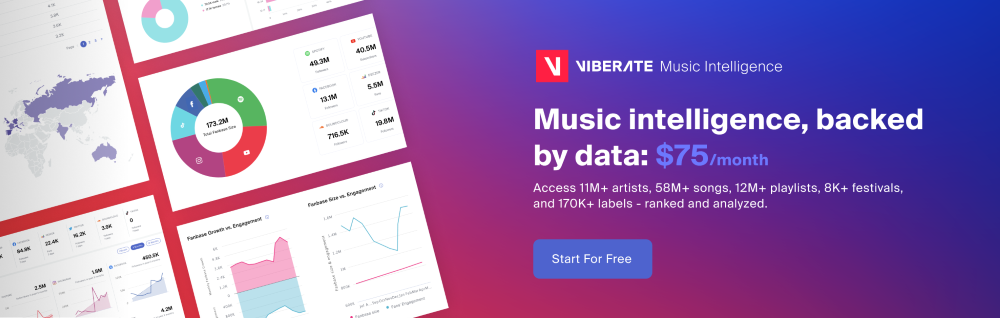
Use Viberate’s dataset offering to discuss the required population and fields, then verify the delivered information against the agreed specification.
The result is a dataset built around a clear analytical purpose, with comparisons the team can explain and findings that reflect what the data actually measures.
Source of music data: Viberate.com
-
📌 Viberate - Music Intelligence is the data & AI layer behind music analytics, connecting artist discovery, audiences, playlists, tracks, Spotify, TikTok, YouTube, streaming, and radio airplay.
 Next article
 Previous article

11M+ artists, 100M+ songs, 12M+ playlists, 6K+ festivals and 100K+ labels on one platform, built for industry professionals.