Kristian Gorenc Z
Nov 12, 2026



Understanding your Spotify data is no longer optional. Whether you’re an artist, manager, or part of a label team, your decisions depend on how well you read performance signals. Streams, listeners, and audience trends all tell a story. The question is how to access and interpret them efficiently.
There are several ways to check your Spotify stats, ranging from simple in-app features to more advanced analytics platforms. Each method gives you a different level of detail, and choosing the right one depends on what you actually need.
Spotify has made it easier to access basic listening insights directly in the app. This is the fastest way to get a quick overview of your activity.
To access it, open the Spotify mobile app, tap your profile icon in the top-left corner, and select “Listening stats.”
Inside this section, you’ll see your top artists and songs, along with weekly highlights that reflect your recent listening behavior. Spotify also adds shareable insights, which are designed for social media.
This approach works well if you just want a snapshot. However, the data is limited. It focuses mainly on recent activity, typically covering only the last few weeks. You won’t find deeper metrics such as total play counts, detailed listening time, or a complete history.
This makes it useful for casual tracking, but not for serious analysis.

Another quick way to get basic insights is through your Spotify profile. This method doesn’t require any additional features or tools.
Go to your profile and review sections like your top tracks this month, frequently played artists, and recently played content.
This gives you a short-term overview of your listening habits, usually covering a window of around 30 to 90 days. It helps you understand patterns, but only at a surface level.
You won’t get structured data or performance metrics here. There are no detailed numbers, no trends over time, and no comparison points. It’s simply a quick glance at what you’ve been listening to.
For users who want basic visibility without effort, this is enough. For professionals, it falls short.
Spotify Wrapped is the platform’s most detailed official report. It compiles your listening data into a structured overview, but it comes with one major limitation: it’s only available once per year.
Wrapped usually appears in late November or early December. It includes your top songs, artists, and genres, along with total minutes listened and broader listening trends.
The presentation is designed as an interactive story that you can share. While the visual format disappears after the new year, playlists such as “Your Top Songs” remain available in your library.
This makes Wrapped the best official summary of your activity, but it’s not a tool you can rely on regularly. It’s retrospective and doesn’t support ongoing decision-making.
Spotify’s built-in features are intentionally limited. If you need full visibility into performance, you have to use external tools.
One example is Viberate, which provides detailed Spotify analytics built for music industry professionals.
If you’re trying to understand how to look at Spotify stats, this is where the difference becomes clear. Instead of snapshots, you get structured data across multiple dimensions.
With Viberate, you can track monthly listeners over time and compare them against industry benchmarks. This helps you understand whether growth is organic or influenced by external factors such as playlist placements or campaigns.
You can also analyze every song released by an artist in one place. Tracks are ranked by performance and can be filtered by release date or timeframes such as all-time, 12 months, 1 month, or 7 days. This level of detail allows you to identify which releases actually drive results.
Playlist analytics is another key layer. Instead of guessing where exposure comes from, you can see exactly which playlists include an artist’s tracks and how those placements affect performance.
Streaming data becomes more useful when you connect it with ratios and trends. Metrics such as listener-to-follower and streams-to-listener ratios provide context that raw numbers alone cannot.
Audience insights take this further. You can locate listeners across cities and countries, which helps you plan promotion and touring more effectively. Knowing where your audience is concentrated removes a lot of guesswork from campaign planning.
Another advantage is the ability to identify collaboration opportunities. By analyzing artists with similar audiences, you can find potential partners for releases or events based on actual data, not assumptions.
Finally, charts bring everything together. You can rank artists and songs using multiple filters such as country, genre, or growth trends. These charts are refreshed daily, which makes them useful for tracking momentum and spotting emerging talent.
Each way of checking Spotify stats serves a different purpose.
The Spotify app and profile features are fast and easy. They work for casual users who want a quick overview.
Spotify Wrapped offers a detailed summary, but only once per year, which limits its practical use.
Third-party tools provide the depth needed for real analysis. They turn scattered data into something you can actually use to make decisions.
If your goal is simply to see what you’ve been listening to, the built-in options are enough. If you need to understand performance, track growth, and plan strategy, you need a more advanced approach.
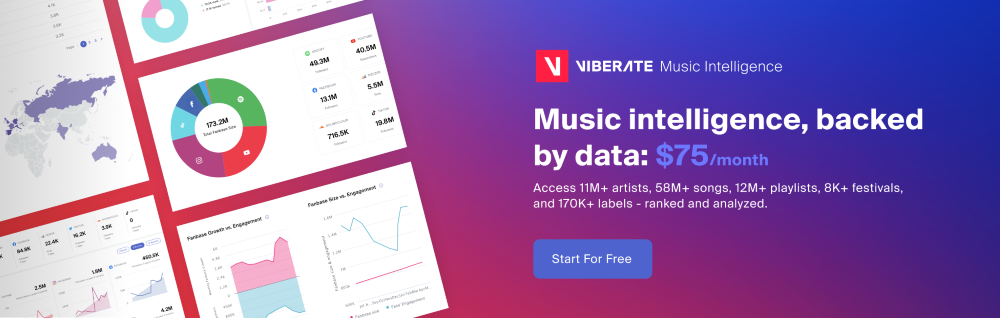
The difference comes down to this: surface-level insights versus actionable data.
And in a competitive music environment, that difference matters.
Source of music data: Viberate.com
-
📌 Viberate - Music Intelligence is the data & AI layer behind music analytics, connecting artist discovery, audiences, playlists, tracks, Spotify, TikTok, YouTube, streaming, and radio airplay.
 Next article
 Previous article

11M+ artists, 100M+ songs, 12M+ playlists, 6K+ festivals and 100K+ labels on one platform, built for industry professionals.