Kristian Gorenc Z
Oct 9, 2026



Spotify makes music listening simple, but finding the exact songs you play most often is not always as direct as people expect. There is no single permanent button in Spotify that shows every listener their complete, ranked history of most played tracks across all time.
That does not mean the information is impossible to find. It just means the right method depends on what you want to check. You may want to know your own most played songs, the most played songs worldwide, or the top-performing songs by a specific artist. Each case requires a slightly different approach.
For personal listening, Spotify gives you several built-in options, although they are usually limited by time period or feature availability. For deeper analysis, especially if you work in music, manage artists, scout talent, or track song performance professionally, external analytics tools give you a clearer view.
This guide explains using Spotify’s own features first, then shows how Viberate helps music professionals analyze Spotify song performance, artist growth, playlisting, and audience data in one place.
Before choosing a method, it helps to separate the three main use cases.
If you want your own most played songs, you are looking at your personal listening habits. Spotify can show parts of this through Listening Stats, Recently Played, and Wrapped, depending on availability and timing.
If you want global most played songs, you are looking for chart data. In that case, rankings and charts are usually more useful than your own app history.
If you want artist-specific most played songs, you need to look at artist pages or use analytics tools that rank an artist’s catalog by streams and performance. This is especially useful for labels, managers, agents, A&Rs, marketers, and artists who need more than a quick listener view.
The key point is simple: Spotify can help with basic checks, but it does not always give full historical rankings or professional-level performance context inside the standard listener app.
The first place to check is Spotify itself. If the feature is available in your app, open Spotify on mobile, tap your profile icon, and look for Listening Stats. This section can show your top songs, top artists, and recent listening trends.
This is useful because it gives you a quick view of what you have been listening to recently. It is especially helpful if you want a simple answer without connecting another tool or waiting for Spotify Wrapped.
However, it is important to understand the limitation. Listening Stats usually reflect recent behavior rather than lifetime listening. If you have been using Spotify for years and want to know which songs you have played most across your whole history, this section may not give you the full answer.
Another quick option is Recently Played. Open Spotify, go to Home, and check the Recently Played section. This is not a ranked list, so it will not tell you which songs have the highest play count. Still, it can help you identify the songs, albums, playlists, and artists you return to often.
Recently Played works best as a quick check. It answers the question “What have I been listening to lately?” rather than “What are my most played songs overall?”
Spotify Wrapped is Spotify’s official yearly summary and one of the most familiar ways to see your top songs. It usually appears inside Spotify around December and shows a ranked overview of your listening year.
Wrapped also includes a playlist of your most played tracks from that year. For casual listeners, this is often the cleanest official answer because it comes directly from Spotify and presents the results in an easy format.
The main drawback is timing. Wrapped gives you one snapshot per year. It is not designed for flexible analysis across different time ranges. You cannot simply choose the last seven days, last month, last twelve months, or all-time history in the same way a professional analytics platform would allow.
So, if you only want a yearly summary of your listening, Wrapped is enough. If you need regular tracking or deeper song performance data, you need another option.ifference matters. A casual listener may only need a top-songs playlist once a year. A music professional needs repeatable analysis, flexible time ranges, and context that supports real decisions.

External tools are the best option when you need real rankings across time ranges or when you want to analyze artists and songs beyond your own account.
This is where Viberate fits into the workflow. Viberate is built for music industry professionals who need Spotify analytics at scale. It works in a similar direction to Spotify for Artists, but it is designed for professionals who need to analyze many artists, songs, playlists, and markets, not only their own catalog.
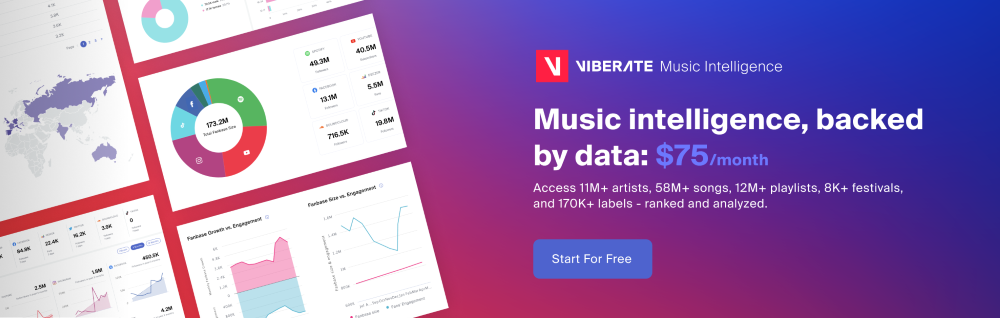
Viberate covers Spotify analytics for more than 11 million artists. It helps users analyze monthly listeners, followers, playlisting, and streaming activity for every musician releasing on Spotify. For managers, labels, agents, A&Rs, promoters, and marketers, this gives a broader view of performance than standard listener-facing Spotify features.
Instead of checking one song or artist manually, users can work with streaming stats in one place. They can track monthly listeners, follow song performance, review audience geolocation, and analyze playlist placements. This makes the data useful not only for curiosity, but also for planning campaigns, identifying markets, comparing artists, and spotting talent.
One of the most useful sections for song-level analysis is Viberate’s Spotify song ranking view. Every Spotify song is analyzed in one place and ranked by performance. Users can filter songs by release date and sort them by all-time streams, twelve-month streams, one-month streams, and seven-day streams. Songs are also playable within the section, which makes research faster and more practical.
This matters because “most played” is not always one fixed number. A track may be the biggest song in an artist’s catalog by all-time streams, but another track may be growing faster in the last seven days. For music professionals, both views matter.
Viberate is not limited to song rankings. It also includes a Spotify monthly listeners tracker, which shows an artist’s monthly listener history and compares it to the industry average. The followers overview helps users understand how the fanbase is growing over time.
For streaming performance, Viberate shows overall streams with performance highlights. It also includes key ratios such as listener-to-follower and streams-to-listener over time. These metrics help explain whether an artist is building a loyal audience, generating repeat listening, or gaining reach through specific tracks.
Playlist analytics add another layer. Users can analyze playlisting for every artist releasing on Spotify and identify playlist placements that may increase song reach. This is useful because playlist support can have a major effect on streaming growth, especially when a track starts gaining momentum.
Audience geolocation is also important. Viberate shows where monthly listeners are coming from across cities and countries. This helps teams adapt promotion and identify markets for future gigs, release campaigns, and regional activity. For example, if a song is growing in specific cities, that information can support tour planning, local advertising, or market-specific promotion.
Viberate also helps with collaboration and booking decisions. Users can spot artists whose fanbases share similar music taste and sort them by monthly listeners. This creates a practical way to plan collaborations, find compatible artists, or evaluate potential bookings using Spotify data.
For broader discovery, Viberate includes charts for talent discovery. Users can customize rankings by trending artists, genres, countries, rank and follower range, and use filters such as “HOT” to identify momentum. The chart system includes Spotify and other stats, with rankings refreshed daily.
If you only want a quick personal check, start inside Spotify. Listening Stats can show recent top songs and artists if the feature is available in your app. Recently Played can help you see what you return to most often, even though it is not a ranked play-count report.
If you want an official yearly summary, Spotify Wrapped is the best native option. It gives you ranked top songs for the year and a playlist based on your most played tracks. The limitation is that it only gives you one annual snapshot.
If you need deeper rankings, artist-specific analysis, time-range filters, playlist insights, streaming performance, audience location, and professional charts, an external analytics tool is the better route. Viberate gives music professionals a broader Spotify analytics workflow by combining artist stats, song performance, playlist analytics, audience geolocation, and discovery charts in one system.
In short, Spotify is useful for personal listening summaries, while Viberate is built for people who need to understand song and artist performance as data. That difference matters. A casual listener may only need a top-songs playlist once a year. A music professional needs repeatable analysis, flexible time ranges, and context that supports real decisions.
Source of music data: Viberate.com
-
📌 Viberate - Music Intelligence is the data & AI layer behind music analytics, connecting artist discovery, audiences, playlists, tracks, Spotify, TikTok, YouTube, streaming, and radio airplay.
 Next article
 Previous article
11M+ artists, 100M+ songs, 12M+ playlists, 6K+ festivals and 100K+ labels on one platform, built for industry professionals.